Image sharpening algorithms are designed to enhance and maintain brightness in the regions of rapid change; mostly edges. The main purpose of image sharpening is to provide a vivid and more esthetic feel to the world of gaming. Image sharpening comes under the domain of image processing and it has been a field of interest for companies associated with gaming. Now that the world of gaming becomes more and more competitive with ray tracing, DLSS, and what-not. Companies like NVidia and AMD are neck to neck in this battle of gaming perfection. Image sharpening can immensely impact the gaming experience by making the images crisp and sharper.
What is Image Sharpening
Image sharpening enhances the overall sharpness of the game to make it look more realistic. AMD and NVidia have been battling around to give their customers the best gaming experience. AMD has come up with the newest image sharpening algorithm, they claim that it is an image sharpening feature that provides better visual performance.
AMD is calling it Radeon Image Sharpening (RIS). They claim that RIS can come in handy at multiple stages in gaming. RIS will particularly come in handy when gamer down-samples the resolution of the game to increase frames per second (FPS) to minimize gaming lag. When the resolution of a game is decreased it makes the image softer than the original resolution, this is when RIS will come in handy. RIS will provide sufficient imagine sharpening to enhance gaming experience without using full resolution. This means that RIS provides virtually the same image quality without compromising on gaming performance.
Aside from that a lot of gaming companies are using temporal anti-aliasing (transformation speed of the object inside the frame is greater than the sampling rate of the scene), which results in softer image quality. RIS solves this problem, and provide the gamers with crisp and clear gaming image quality.
Radeon Image Sharpening (RIS)
AMD has come up with an intelligent image sharpening algorithm that aims to provide gamers with unparalleled image quality. The biggest advantage of this technology is that gamers can enjoy games without any performance decrease (does image sharpening decrease FPS?).
When it comes to image sharpening, someone, especially for gamers, may wonder does image sharpening decrease FPS. We’ve tested, and also collected feedbacks from some readers. In fact, there is no standard answer. Some people said that using image sharpening does hit FPS for 20%, while some others indicated that image sharpening only sharpens what the human eye can see, and it doesn’t have any effect on FPS. They switched between high sharpness and no sharpness without any change to their frames. If you want to figure out “does image sharpening decrease FPS”, give a shot.
AMD has claimed that RIS can provide image sharpening which will cause a 1080p display look like 1440p. It is done by fiddling around with higher contrast sections of the image and the algorithm artificially draws more details out of that. This process is claimed to be post-processing, which means it will not affect gaming performance.
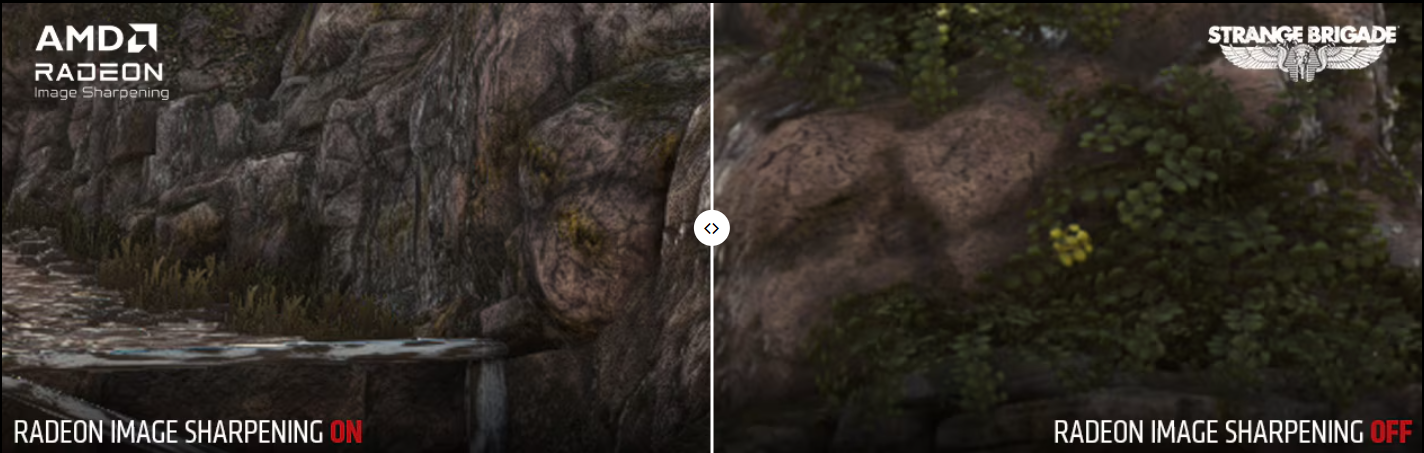
Images of RIS were displayed by AMD, those images clearly showed the brighter more detailed view of darker edges of the picture. RIS also includes contrast adaptive sharpening (CAS) which is included in the FidelityFX suite. According to AMD, RIS is plug and play, gamers can switch on RIS from Radeon settings and they are good to go. Although developers can also implement FidelityFX suite according to requirements, RIS does not need any pre-processing. Unlike NVidia, Radeon has made RIS easy to use due to its post-processing capabilities. Now gamers can enjoy sharper image quality by turning on RIS from Radeon settings.
Bonus Check: Wanna see if you can run your loved games? Test with Can I Run It now!
NVidia vs. Radeon
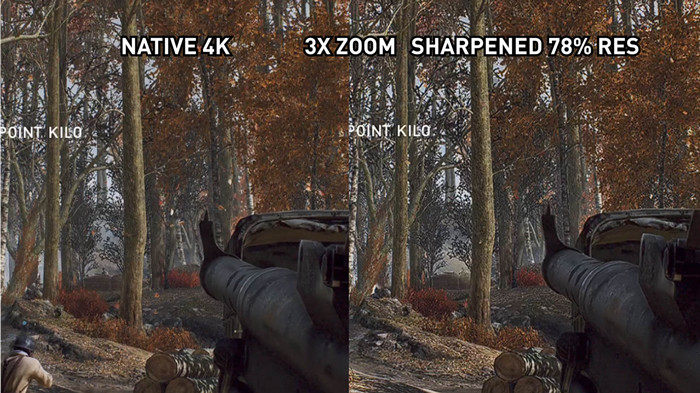
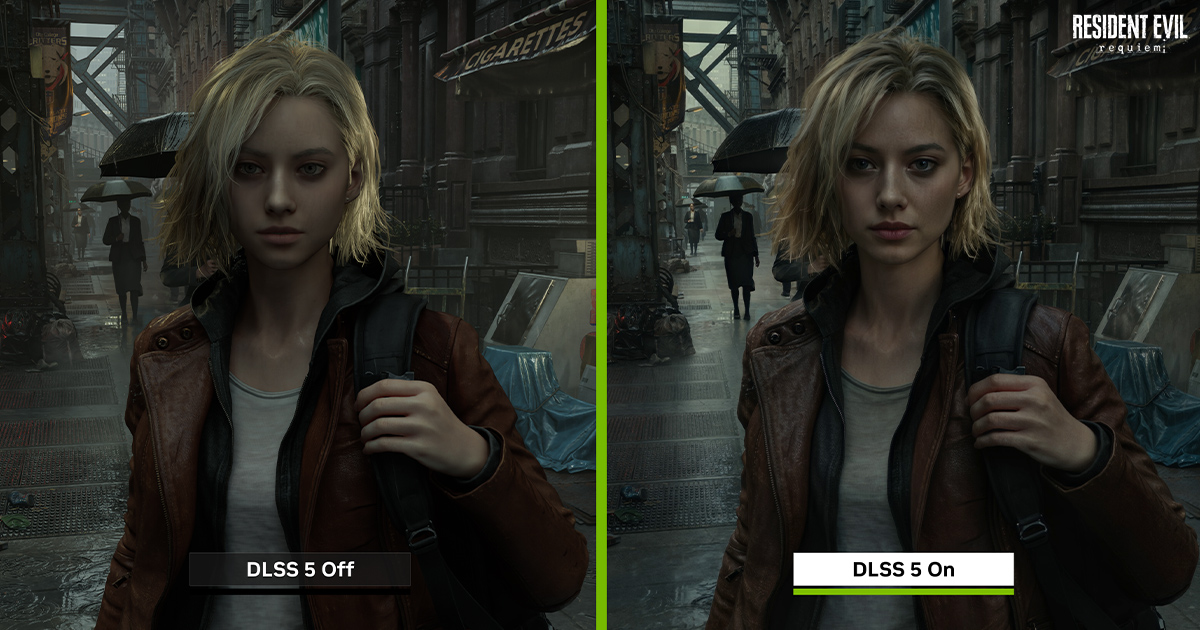
DLSS by NVidia is just a performance enhancer for Ray Tracing. While testing both DLSS by NVidia and RIS by Radeon on BattleField V, the results were quite similar. The NVidia was running Ray Tracing followed by DLSS at 4K resolution while AMD Radeon was running RIS with enhanced 1440p resolution, both produced sharp and crisp images. The added benefit of RIS is that there were no performance lags due to post-processing implementation of RIS. The AMD system was running 1440p resolution which meant it could boost the frame rate up to 90 fps.
Looking at Radeon image sharpening technology we can clearly see the difference between the original image and sharpened image. The image sharpened clearly showed the difference in contrast on edges of the objects, like grass, sky, and water looked crisper with the assist from RIS.
Looking at both image sharpening algorithms from NVidia and Radeon showed almost the same results. On close comparison at 1440p resolution, CAS along with RIS did a pretty good job at leaving the high contrast object untouched. Enhancing the high contrast objects only adds to the oversaturation of images. Although CAS is not perfect at overlapping the saturation of objects it’s hard to spot any difference with the naked eye.
Easily Boost FPS While Using Image Sharpening
While GPU-based features like Radeon Image Sharpening and NVIDIA DLSS keep performance impacts minimal, enabling high-end visual enhancements can still strain lower- or mid-range systems. If you notice subtle frame drops while using image sharpening, Smart Game Booster provides an effortless solution. With a single click, it frees up system RAM, stops unnecessary background processes, and overclocks your GPU to maximize frame rates.
Here is the step-by-step procedure for using this FPS booster to optimize your system:
Step 1. Download Smart Game Booster from the official website and run the setup.
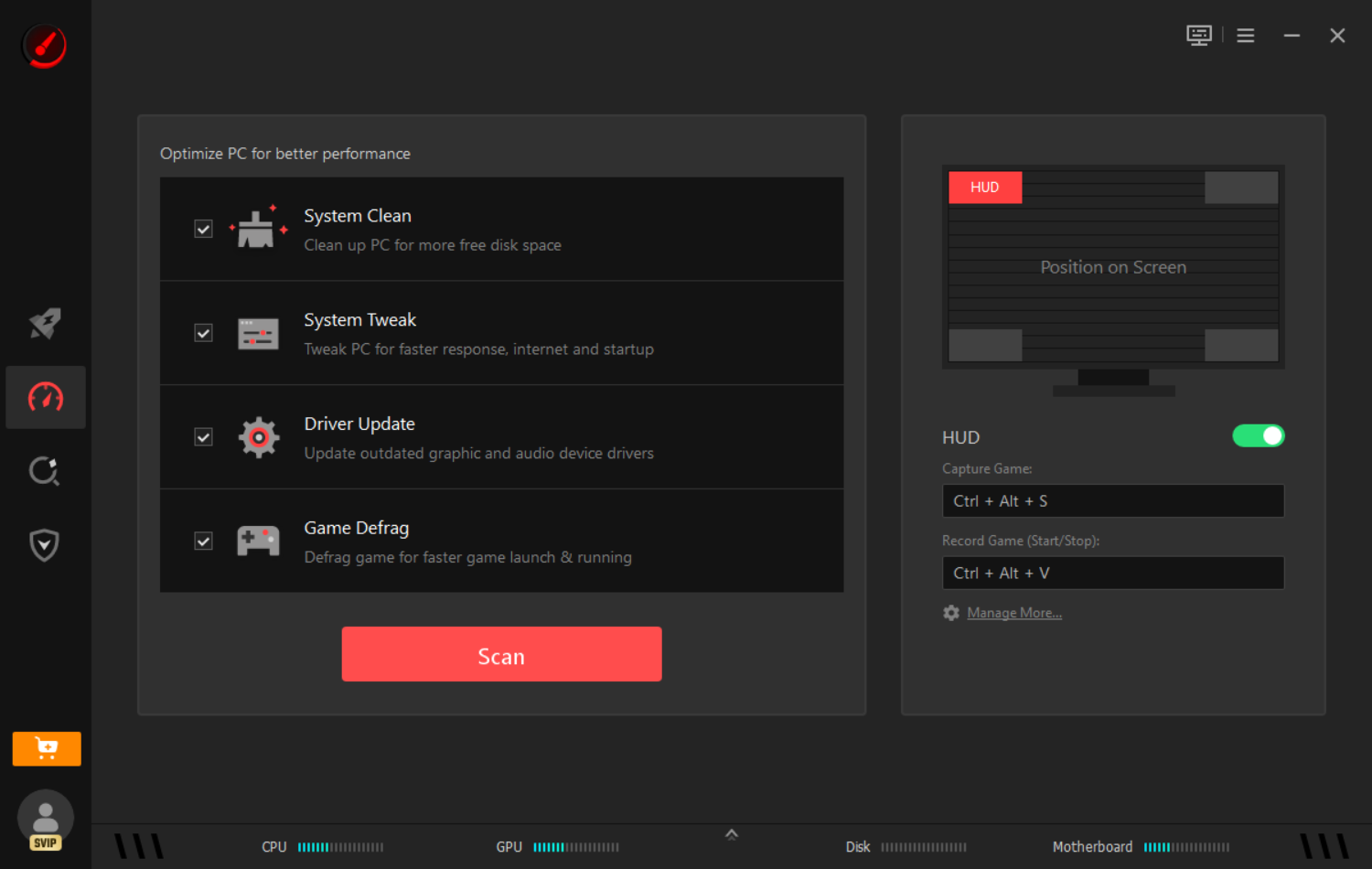
Step 2. Go to the Performance tab and click Scan.
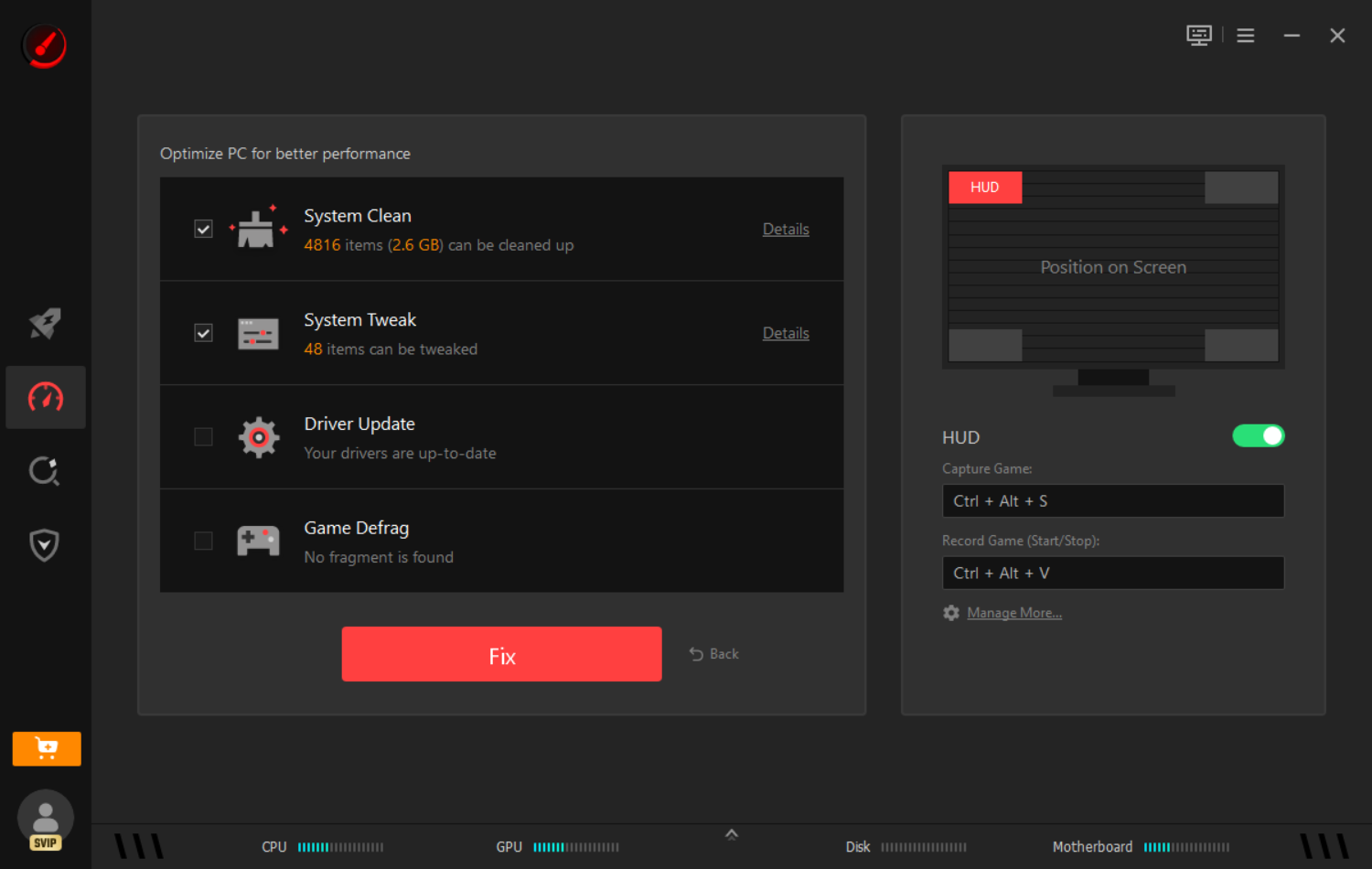
Step 3. Click Fix to free up RAM, stop background tasks, and apply your GPU tweaks.
Apart from boosting FPS, this app also works as a powerful ping reducer, accelerating your gaming connection with exclusive, advanced network acceleration routes. Simply enjoy your game with low ping and high FPS in simple clicks.
Final Verdict on What is Image Sharpening
Although image sharpening algorithms are working wonders with enhancing the gaming experience, they are not always perfect. On a closer look, you might find some over-brightening of objects. Now it might not be visible while playing games, but it will be visible if you take a screenshot and zoom in.
If you evaluate the image sharpening algorithm, it will impress the gamers with image enhancement. These algorithms don’t interfere with gaming performance, as most of them are post-processing algorithms. Although there is quite a difference when compared side by side, there might not be much difference if images were not compared side by side. Sharpened images might look a bit too sharp and artificial but actual gameplay will compensate for that.
These image sharpening algorithms do not hinder performance. A slight 2, 3 fps drop can be seen while running image sharpening algorithms, that almost negligible. RIS and DLSS can enhance the visual aspects of your gaming without affecting performance. Last, just download Smart Game Booster to level up your gaming experience for free!
Key Features of Smart Game Booster
- Enjoy lag-free & low-ping gaming
- 100+ games supported
- Severs from all over the world
- Boost in-game FPS