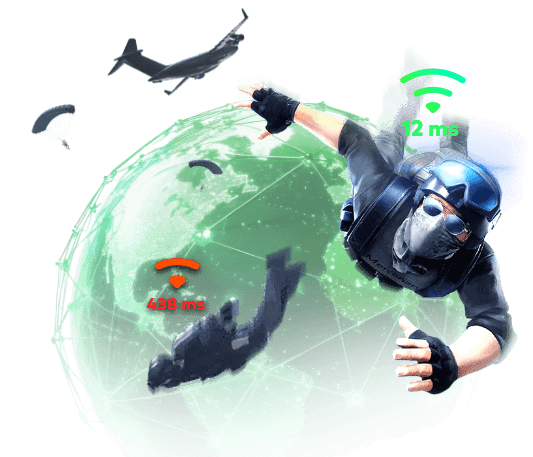
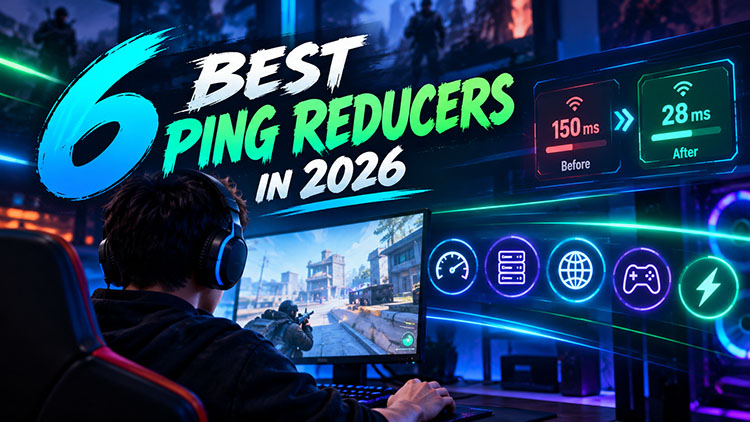
High ping and network latency cause delayed responses, rubber-banding, and missed opportunities in competitive matches, which ruin your gaming experience completely. If you want to deal with sudden ping spikes and unstable connections, an optimization tool, for instance, a ping reducer is what you need.
In this guide, we will introduce what a ping reducer does, the benefits of using one, and six popular options in 2026. You can also learn a detailed step-by-step method to lower latency and boost overall PC gaming performance effortlessly.
What is a Ping Reducer?
A ping reducer is specialized software that can optimize the network path between your computer and game servers. Unlike your ISP’s default routing that often prioritizes cost over speed, a ping reducer analyzes multiple routes and redirects game traffic through faster, more stable private networks.
This process may help reduce ping spikes, packet loss, and jitter. However, a ping reducer is not a guaranteed fix for every connection issue. Your network conditions, server location, and the game's own infrastructure might also affect the effectiveness.
Why is Ping Reducer Important for Game Players?
A ping reducer is especially helpful for game players. Here are the main benefits for gaming sessions.
Faster Response Times: Lower latency makes your actions register more quickly, giving you better control in competitive matches.
Reduced Lag and Rubber-Banding: A more stable connection can minimize sudden movement delays and interruptions.
Less Packet Loss and Jitter: Some ping reducers can improve connection consistency, which can effectively prevent choppy gameplay and unexpected delays.
Better Cross-Region Gaming: Optimized routing may improve connections if you are playing with distant game servers.
Improved Overall Gaming Performance: Some ping reducers also offer integrated optimization features for PC, which might help address performance bottlenecks.
6 Best Ping Reducers for Better Gaming Experience in 2026
While some ping reducers focus on network routing, some offer overall PC optimization. In this part, we’ve concluded 6 ping reducers worth considering in 2026.
WTFast Ping Reducer - Faster Ping Speed in Gaming
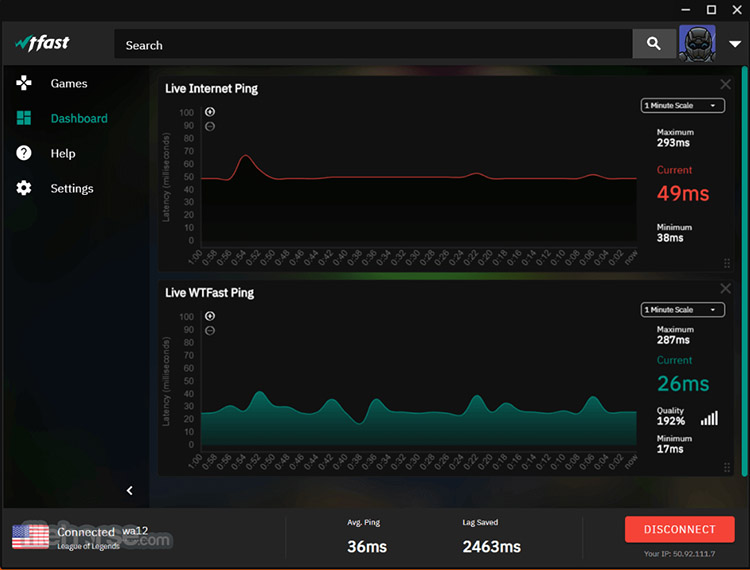
With its patented Gamers Private Network (GPN), WTFast routes only game traffic through optimized paths and bypasses inefficient ISP routing. The ping reducer adopts machine learning to continuously analyze traffic paths in real time. It automatically switches your data to the fastest, most reliable connection to prevent routing detours. Supporting over 1,000 games, it can reduce latency, eliminate ping spikes, and minimize packet loss.
Platforms: Windows
Best for: PC gamers who seek sophisticated game routing with detailed metrics.
What We Like
AI-Powered multipath routing for online gaming
Broad game support, including major titles
Improves stability when ISP routing is inefficient
Real-time analytics & connection Meter
What We Dislike
Useless on good connections
Relatively high cost
Smart Game Booster - Best Free Ping Reducer for PC
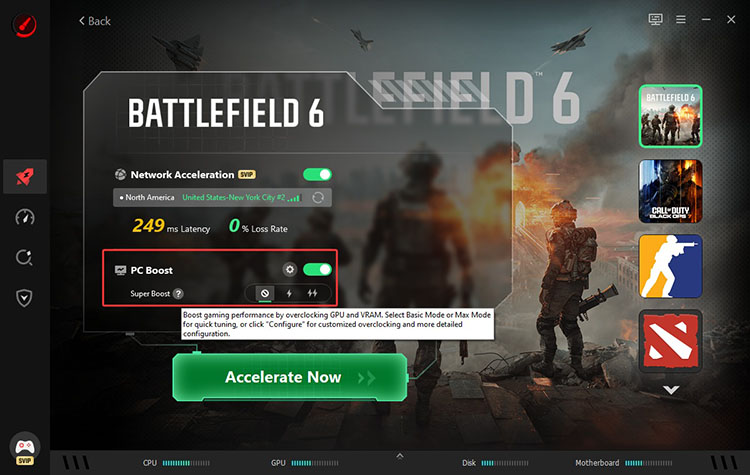
Looking for a free ping reducer to use? Check out Smart Game Booster, which perfectly integrates network acceleration with deep PC optimization. Equipped with 500+global gaming servers, the free ping reducer software intelligently selects the best server to cut ping, packet loss, and lag, or you can select one based on your needs.
Key Features of Smart Game Booster
- Enjoy lag-free & low-ping gaming
- 100+ games supported
- Severs from all over the world
- Boost in-game FPS
In addition, the software is a powerful FPS booster that can overclock the GPU and VRAM with up to a 30% gain. Whether you are looking for a PUBG lag fix or searching for the best way to reduce ping in Fortnite, Smart Game Booster is the most useful tool that comes in handy.
Platforms: Windows
Best for: PC gamers who want free core optimization features, FPS boosting, system maintenance, and optional network acceleration.
What We Like:
This FPS booster helps manage background processes and free up CPU and RAM resources, which can increase frame rates and reduce stuttering caused by system bottlenecks.
You can connect through global gaming servers to explore potentially faster network routes and game servers. This reduces ping, packet loss, and connection instability when your default routing is inefficient.
It comes with tools like System Clean, System Tweak, and Driver Update tools that help remove unnecessary files, optimize Windows settings, and keep drivers up to date.
The Can I Run It feature is rather useful; it allows you to check whether your PC meets the minimum and recommended system requirements for a PC game before installing it.
It’s not just a simple free ping booster; the software offers antivirus-style scanning, firewall tools, and account protection features, providing an extra layer of security during gaming.
What We Dislike:
LagoFast - Smart Ping Reducer and Optimizer
Leveraging AI Matrix Route technology, LagoFast can optimize paths in real time, lowering ping, packet loss, and jitter for online multiplayer games. With coverage across 170+ countries and thousands of nodes, it can optimize 8,000+ games across PC, mobile, and consoles. The software is not just a ping reducer, but also a gaming toolkit that offers smart acceleration, real-time game translation, and an FPS booster all in one place.
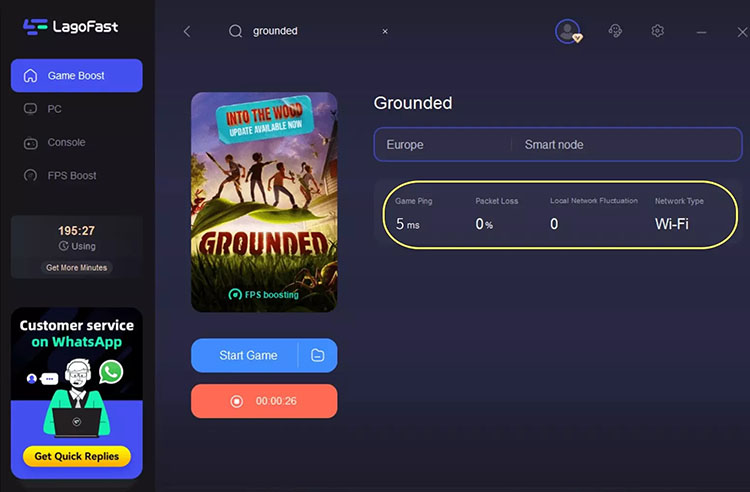
Platforms: Windows, macOS, Android, iOS, PlayStation, Xbox, Switch, and more
Best for: Multi-platform players who need broad game and device support.
What We Like
AI-powered real-time route optimization
Extensive global node coverage
Multi-platform and console support
Lightweight ping reducer for PC
What We Dislike
Not a ping reducer free tool
Results vary based on existing connection quality
NoPing - Useful Ping Reducer & Game Booster
Developed with multi-connection technology, NoPing sends packets across multiple simultaneous routes across over 2,000 global servers to lower ping(up to 80%), fix packet loss, and boost game performance. The software supports up to 3,000+ games and FPS boosting up to 110%. Available in 150+ countries, the software is a strong ping reducer for eliminating connectivity bottlenecks.
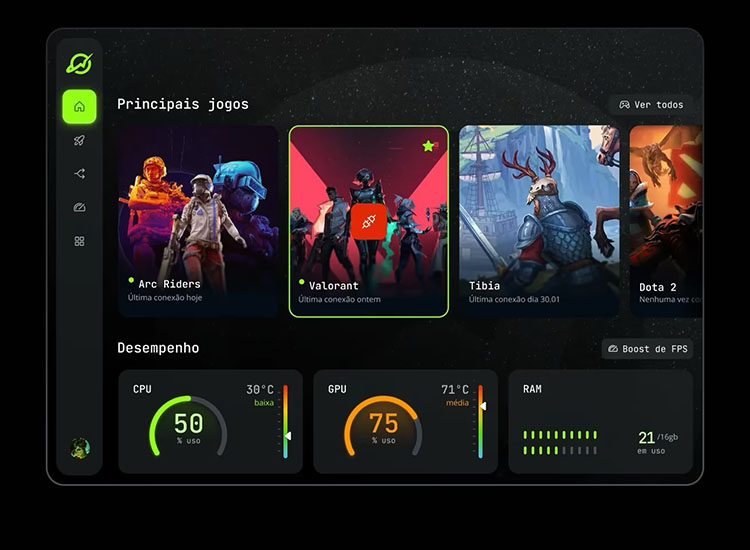
Platforms: Windows, iOS, and Android
Best for: Competitive gamers playing fast-paced multiplayer matches on international servers.
What We Like
Patented multi-connection and multi-internet features
Free resources for a strong FPS boost
AI-powered route analysis and swapping
Up to six different network connections
What We Dislike
Confusing billing reported by users
Poor customer support
LagZapper - Smart Game Route Optimization to Lower Ping
LagZapper focuses on intelligent route analysis, which selects the smoothest path to game servers for stabilized ping and minimized packet loss. Supporting 3,000+ titles, the ping reducer offers one-click acceleration across regions and international servers. It also includes additional features like built-in real-time translation, DPS Meter, performance plugins, etc., for an improved gaming experience.
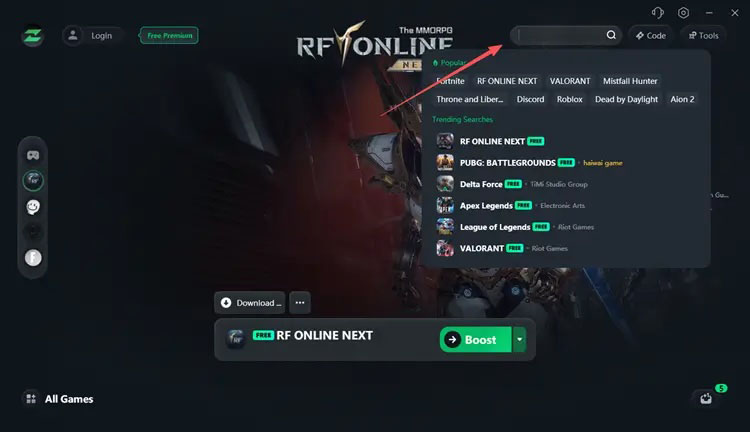
Platforms: Windows
Best for: Windows gamers who prefer straightforward gaming route optimization.
What We Like
Smart game route optimization
Significant ping reduction for cross-region play
One-click ease of use
Additional performance tools
What We Dislike
Limited free ping reducer
Occasional packet bursts or random disconnects
GearUP - Best for Reducing Ping & Packet Loss
GearUP employs adaptive intelligent routing to optimize gaming connections and reduce ping and packet loss. It continuously analyzes global network paths across 7,500+ nodes in 180+ regions, supporting 3,000+ game titles to help players connect to game servers more efficiently. Beyond network acceleration, GearUP also offers LAN Play, Ping Test, Twitch AFK drop farming, and additional tools for a smoother gaming experience.
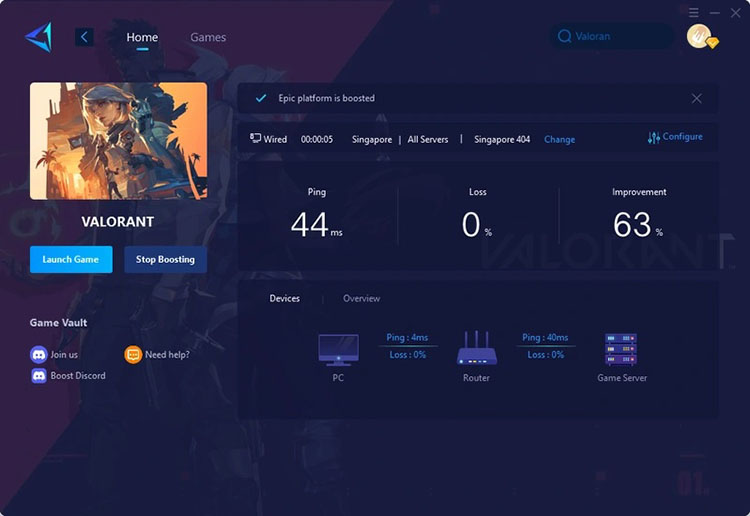
Platforms: Windows, iOS, Android, PlayStation, Xbox, Switch, Steam Deck, and more
Best for: Multi-device gamers and players who frequently experience routing-related lag or packet loss.
What We Like
Adaptive routing that adjusts during play
Broad multi-platform coverage
Strong results on long-distance servers
Simple, one-click boost design
What We Dislike
Minimal benefit on already-optimal local connections
Very short free trial period
How to Reduce Ping with Best Free Ping Reducer Software
High ping and network lag can put you at a disadvantage in competitive games. If you want to grind for higher CSGO ranks or enjoy smoother matches, Smart Game Booster is one of the best options to optimize your network connection and PC performance. Here’s how to get started with it.
Step 1. Free download Smart Game Booster from its official website and install it on your PC.
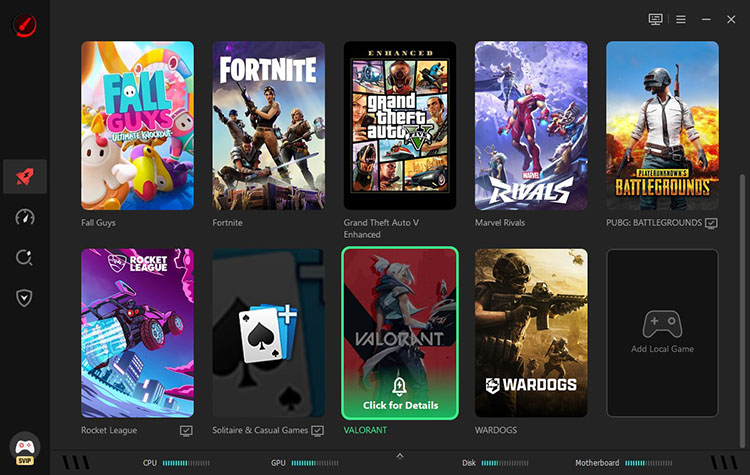
Step 2. Launch the software and select your game. Here we use Valorant as an example. If your game is not listed, you can add it manually.
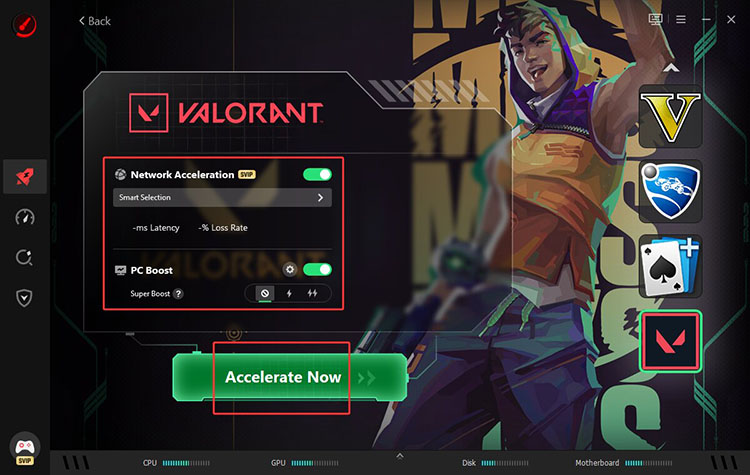
Step 3. Enable Network Acceleration and PC Boost. Click Accelerate Now to see available regions and nodes.
Step 4. Select an optimized node for Valorant. Click Accelerate Now to apply the settings.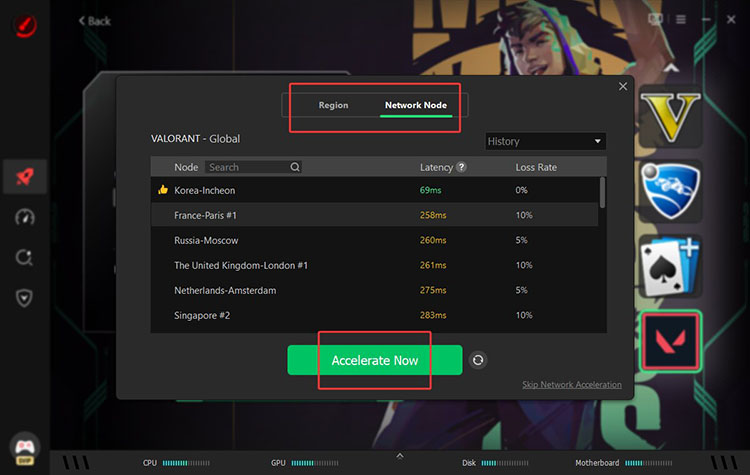
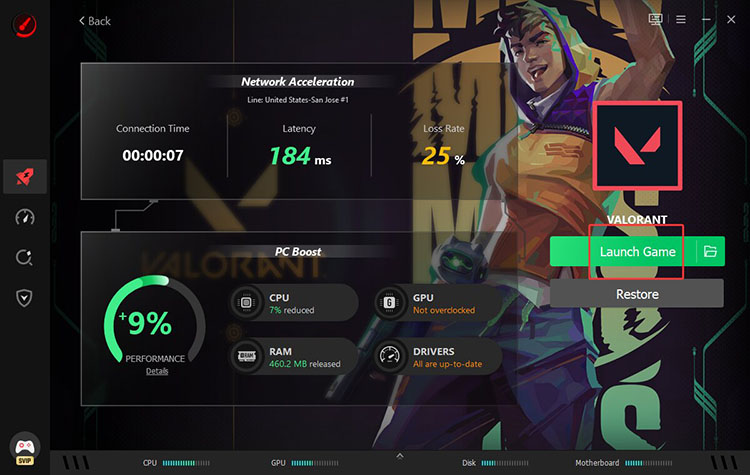
Step 5. Then you can launch the game with an optimized route and game settings.
Tip: Also experiencing lag in Roblox? Check out our guide on how to reduce lag in Roblox.
Final Thoughts
With the right ping reducer, you can transform laggy sessions into competitive advantages. This guide has recommended the top 6 options, and Smart Game Booster is especially appealing for its free core features, easy one-click network acceleration, FPS gains, and system optimization. It’s an all-in-one optimization tool that can help you lower latency and boost performance with minimal effort. Get it and experience smoother PC gaming now!
Key Features of Smart Game Booster
- Enjoy lag-free & low-ping gaming
- 100+ games supported
- Severs from all over the world
- Boost in-game FPS