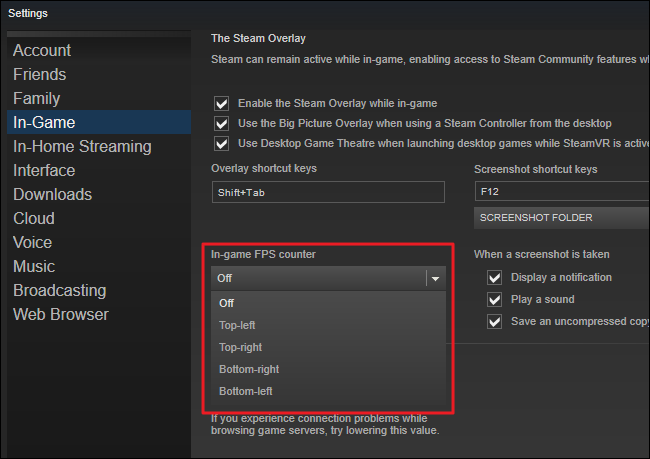
Is there a free game booster that improves your game FPS and optimizes the gaming experience? Certainly, yes. It’s frustrating when you encounter unexpected stutters, lags, or FPS drops in essential gaming on PC. An effective and trusted game booster can boost your FPS and bring your gaming performance to the next level instantly.
So what’s the best free gaming booster for PC? This guide will show 5 tested game boosters that optimize your FPS for perfect gaming without paying.
5 Best Free Game Boosters for PC (Quick Summary)
Looking for the best free game booster software for PC? Here are the top 5 ranked
game boosters for free in 2026. Check this quick summary and pick the most suitable one!
Free Game Booster |
Key Features |
Operating System |
Rating |
Pricing |
Security |
|
Smart Game Booster (Most Recommended)
|
One-click FPS boost Reduce ping GPU overclocking PC Optimization |
Windows 11, 10, 8, 7 |
4.8/5 |
Free for basic game boost |
High |
Hone |
|
Windows 11, 10 |
4.7/5 |
Free plan (up to 15 optimizations) |
Good |
Wise Game Booster |
|
Windows 11, 10, 8, 7, Vista, XP |
4.0/5 |
Free (Pro version available) |
Good |
WMaster Cleanup |
Game FPS boost Deep game cache cleaner RAM & Storage free up |
Windows 11, 10, 8, 7 |
4.6/5 |
Free (Pro features available) |
High |
GearUP Free Game Booster |
|
Windows 11, 10 / Console/Mobile |
4.5/5 |
Free trial (Subscription-based for full access) |
High |
Now that you have had a quick preview of the above free game boosters, let’s learn more details about each one to make the wisest choice.
Smart Game Booster: Top Free Game Booster for Max FPS
When it comes to the best free gaming booster, Smart Game Booster must be one of the top-ranked game optimizing tools for Windows PC. It works perfectly to boost game FPS, reduce ping and latency with faster network connections. This powerful game booster can also update outdated drivers and monitor your hardware temperature in real time, which ensures you’re in perfect status all the time.
Key Features of Smart Game Booster
- Enjoy lag-free & low-ping gaming
- 100+ games supported
- Severs from all over the world
- Boost in-game FPS
OS: Windows 11, 10, 8, 7
Rating: 4.8/5
Core Feature:
Free Ping Reduction by Network Acceleration: The free ping reducer helps bypass ISP throttling & diminish packet loss with faster connections, up to 80% lower ping.
Up to 120% FPS Boost with One Click: The powerful FPS booster unlocks max FPS by CPU & RAM optimization to reach peak gaming performance, free of charge.
Safe GPU Overclocking, Perfect Game Visuals: Smart Game Booster allows you to overclock GPU safely in Basic/Max/Customize Mode for ultimate gaming experience.
Smart PC Game Cleanup & Optimization: Quickly scan to clean up and tweak your system, update drivers & defrag games for faster game launch & running.
Real-time Security & Account Guard: It safeguards your online security and protects your account through auto-detection and manual fixing.
Can I Run It Test for Trending Games: Run a Can I Run It test instantly to check if you can run your favorite titles, such as PUBG, GTA 5, and War Dogs on your PC.
How to Boost Gaming Performance on PC
Step 1. Free download and install it on your computer.
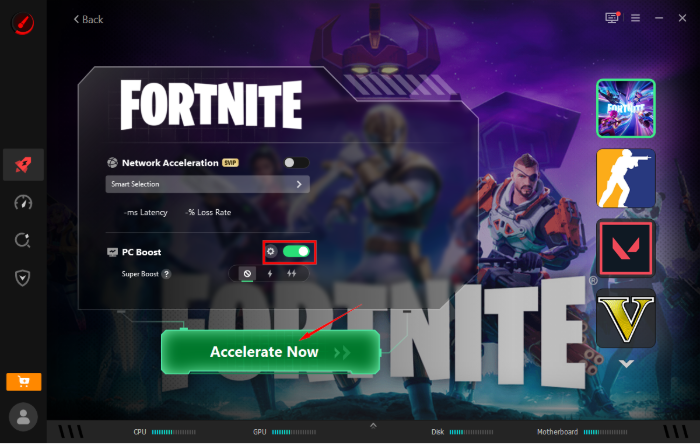
Step 2. After launching, select or add a game, like Fortnite, enable “PC Boost” and click “Accelerate Now”.
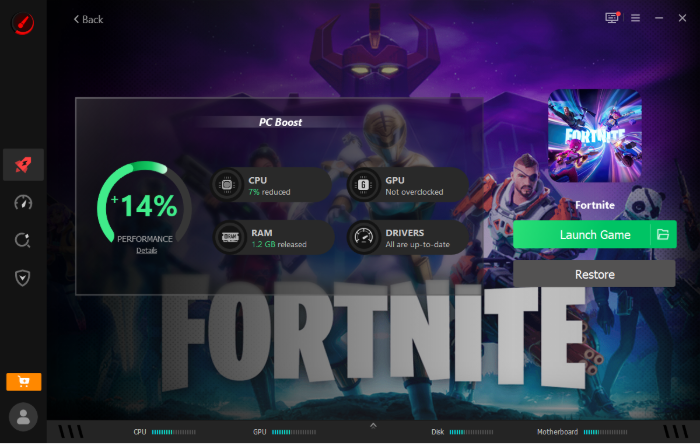
Step 3. After a few seconds, your PC performance will be highly improved along with CPU & RAM optimization and an FPS boost.
Hone: Boost FPS & Reduce Latency in Gaming
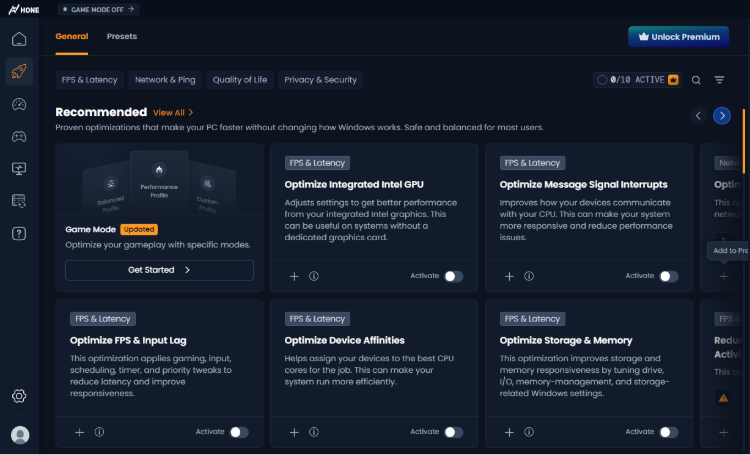
Hone is a modern, lightweight gaming optimizer for PC designed to unlock higher frame rates and reduce system input lag with minimal effort. It’s also the best free game booster to enhance your gaming & PC performance.
OS: Windows 11, 10
Rating: 4.7/5
What You Like:
One-Click Automated Tweaks: Instant system & GPU driver optimizations without requiring complex technical knowledge.
Input Lag Reduction: Closes background system delays to ensure faster mouse and keyboard response times in fast-paced titles.
Extensive Preset Library: Offers tailor-made optimization profiles for over 100,000 games.
Keep Your Data Safe: Automatically creates system restore points before making registry modifications.
What You Dislike:
Customer Reviews: “This free gaming booster helps me run my PC better when I'm gaming. I highly recommend Hone if you are playing on a lower-end device.” (from Trustpilot)
Wise Game Booster: Best Free Game Speedup Tool
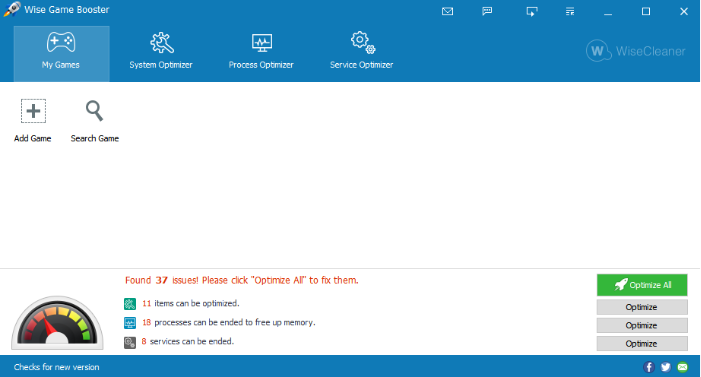
If you expect deeper PC cleanup & optimization to speed up your gaming, Wise Game Booster is an excellent free game booster for PC. It focuses on freeing up RAM and stopping unnecessary background services to maximize game performance.
OS: Windows 11, 10, 8, 7, Vista, XP
Rating: 4.0/5
What You Like:
1-Click PC Optimization: Analyzes background processes and stops non-essential services with a single click.
Customized Tuning: Allows users to manually manage individual services and system processes flexibly.
Built-in System Backup: Features a quick restore button to revert system services back to their original state safely.
Broad System Compatibility: Works seamlessly across legacy and modern Windows versions.
What You Dislike:
Customer Reviews: “It helps my low-end older computer by reducing background resource usage, which can slightly improve smoothness and reduce stuttering, like PUBG lag fix.” (from Trustpilot)
WMaster Cleanup: Ultimate Game FPS Booster
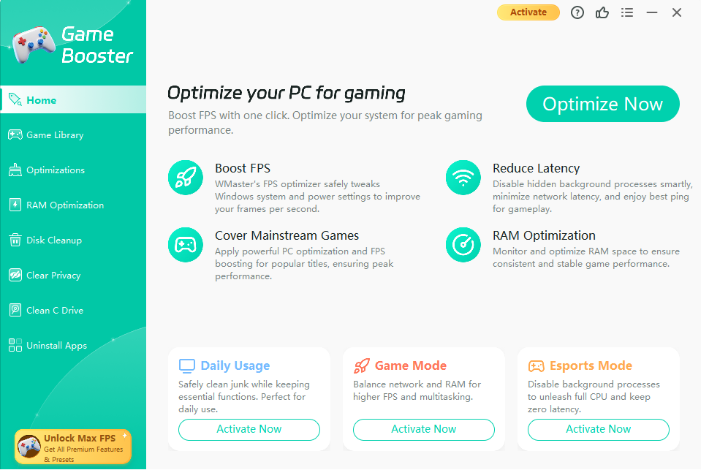
Still need a dedicated FPS booster and latency reducer besides system cleanup? WMaster Cleanup doubles as a deep system maintenance tool and a high-performance game booster, freeing up drive space while improving frames per second.
OS: Windows 11, 10, 8, 7
Rating: 4.6/5
What You Like:
Multiple Optimization Modes: Provides Daily Usage, Game, and Esports modes tailored to daily tasks or demanding gaming boosts.
Deep Game Cache Cleaning: Clears system clutter, temporary game files, and memory hogs to prevent sudden frame drops.
Integrated C Drive Clean: The best free game booster for PC frees up gigabytes of C-drive storage alongside game boosting.
What You Dislike:
Customer Reviews: “I was stuck with a laggy computer, but WMaster Cleanup tool took care of the problem in just one click. It really improved my computer’s performance.” (from Trustpilot)
GearUP Free Game Booster: Reduce High Ping & Packet Loss
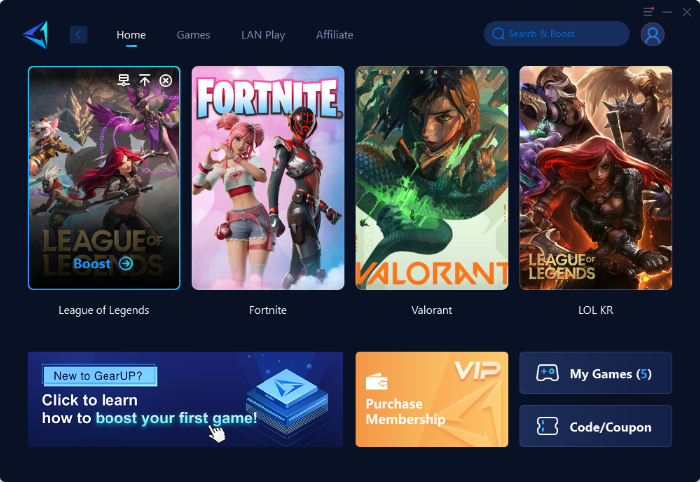
Unlike the above system cleaners and boosters, GearUp Game Booster focuses specifically on network optimization to eliminate latency, high ping, and packet loss during online play, such as League of Legends, CSGO Ranks, etc. But it only offers short-term free trials for limited optimizations.
OS: Windows 11, 10 / Console/Mobile
Rating: 4.5/5
What You Like:
Dedicated Gaming Network: Reroutes network traffic through optimized nodes to ensure stable connections with lower ping.
Cross-Platform Support: Works not just on Windows PC, but also on gaming consoles and mobile devices.
Packet Loss Prevention: Effectively fixes rubberbanding and disconnection issues on congested networks.
LAN Play with Friends: Play games with friends in any other place by connecting remotely to the same server, with less latency.
What You Dislike:
Customer Reviews: “Greatly reduces the ping when I'm playing with my friends and makes playing in other regions more bearable.” “There is a ping spike issue. not reasonable price but easy to use.” (from Trustpilot)
You May Like: [Solved] 9 Fixes on How to Reduce Lag on Roblox on PC (Step-by-Step Guide) >>
FAQs About Free Gaming Booster
1. Is a Free Game Booster Safe to Use?
Yes. Generally speaking, most free game booster, like Smart Game Booster, provides advanced security features, including, Antivirus & Firewall Protection.
2. What is the Best Game Booster for Free?
Smart Game Booster is the best free game booster software that improves your FPS with 1-click and optimizes your PC for peak gaming performance.
3. Is There a Free Ping Reducer?
Yes, most game boosters offer free ping reduction features. Smart Game Booster, GearUP, and PingFast are effective free ping reducers.
4. What’s the Best FPS Booster for PC?
Smart Game Booster is also the best FPS booster for PC that optimizes your CPU & RAM, safely overclocks GPU for fewer frame drops.
Final Thoughts
Now, you must have found your satisfying free game booster software. To enjoy one-click FPS boost and maximum ping reduction, Smart Game Booster will not let you down. Get the free game booster download to optimize your gaming to peak performance now!
Key Features of Smart Game Booster
- Enjoy lag-free & low-ping gaming
- 100+ games supported
- Severs from all over the world
- Boost in-game FPS