Players often want higher FPS for a smoother, more responsive gaming experience. This is when an FPS unlocker comes into play, which can help bypass built-in frame-rate limits for a better gaming experience. In this article, we will explain how an FPS unlocker works and recommend the best FPS unlockers for PC and mobile devices that can help you enjoy smoother gameplay!
FPS Unlocker Explained
An FPS unlocker is software that can remove frame-rate caps imposed by games or platforms. Many game titles, for instance, older Roblox clients, are defaulted to a 60 FPS limit for stability. An FPS unlocker can modify runtime settings, adjust process memory, and optimize system resources. This allows a game to render at the full refresh rate of a monitor or even potentially higher.
The benefits of FPS unlockers are huge. Users can enjoy smoother animations, reduced input lag, and improved motion clarity on 144 Hz, 165 Hz, or 240 Hz displays. This is especially helpful for ensuring a more responsive experience in fast-paced games.
However, an FPS unlocker does not magically create performance that your hardware can not handle. Instead, it removes the software-imposed ceiling, allowing capable PCs and phones to reach their available performance potential. When used correctly, it can improve the overall gaming experience.
Best FPS Unlockers Quick Guide
There are a bunch of FPS unlockers, and you should choose the right one based on your platform and needs. Before diving into the top options, let's have a quick comparison of 4 popular options on the market.
FPS Unlocker |
Platform |
Free/Paid |
Standout Features |
Smart Game Booster |
PC (Windows) |
Free + Paid tiers |
One-click system boost, GPU overclock, network acceleration, real-time FPS/temp monitor |
Roblox FPS Unlocker |
PC (Roblox) |
Free (open-source) |
Lightweight, removes 60 FPS cap, custom FPS targets |
Bloxstrap |
PC (Roblox) |
Free |
Built-in FPS unlocker, FastFlags, Discord integration, customization. |
FPS Unlocker - Gaming Tool |
Android |
Free (ads contained) |
Unlocks 90/120 FPS options on supported devices, simple graphics tweaks |
Top 4 Tools to Unlock Higher FPS in Game
1. Smart Game Booster - Overall FPS Unlocker for Any Game on PC
Best for: Players who want a versatile FPS unlocker for PC that works across many games.
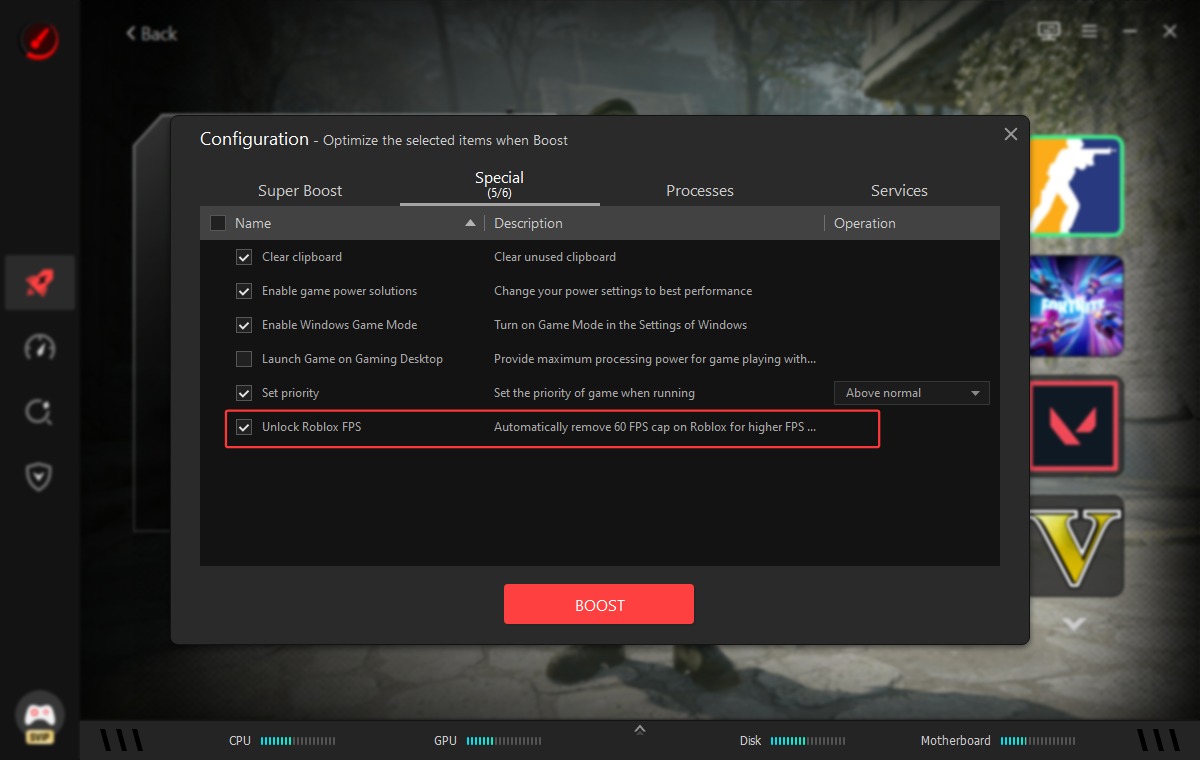
Smart Game Booster is an all-in-one Windows program that can improve gaming performance with powerful features. With Super Boost feature, it can safely overclock GPU and VRAM frequencies for up to 120% FPS boost. It provides several optimization options to stop unnecessary background activity and free system memory, releasing more resources stay available for your game to eliminate lags and delays. Plus, it builds in a particular Roblox FPS unlocker engine to remove the cap automatically during gaming.
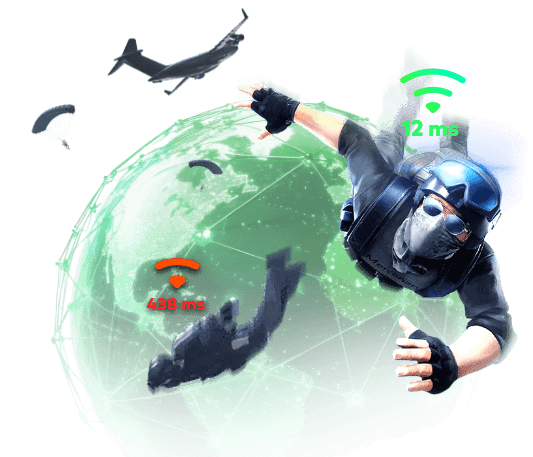
The software includes network acceleration via hundreds of gaming servers, which helps bypass ISP throttling and reduce ping in game. Its hardware monitoring tracks live CPU, GPU, and RAM usage and temperatures, with overheating alerts. Plus, a system maintenance feature that cleans disk junk, defragments game files, and automatically updates drivers.
Pros
Supports a wide range of games
Impressive FPS gains
The free version offers powerful features
Easy to use for beginners
Cons
Advanced features require a paid upgrade
Our Rating: ★★★★★
Smart Game Booster delivers reliable system-level performance improvements with dedicated FPS monitoring. Its free version also offers excellent value for most home users, with a broad range of features available at no cost. Overall, it’s a strong all-around FPS unlocker for general PC gaming.
Key Features of Smart Game Booster
- Enjoy lag-free & low-ping gaming
- 100+ games supported
- Severs from all over the world
- Boost in-game FPS
2. Roblox FPS Unlocker - Open-Source FPS Unlocker for Roblox
Best for: Gamers who need to remove Roblox’s default 60 FPS cap on Windows.
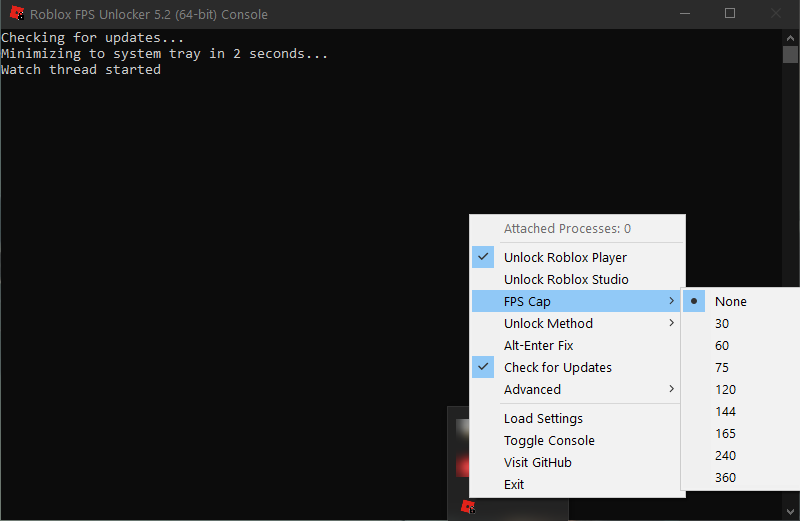
Developed by axstin and available on GitHub, this lightweight open-source tool allows players with high-refresh-rate monitors (165Hz, 360Hz, etc.) to experience smoother gameplay. It runs directly out of the Windows taskbar and uses very little RAM. However, since Roblox officially introduced a native in-game FPS unlocker option for all users, the third-party software is a bit obsolete.
Pros
100% Free & open-source
Lightweight resource usage
Simple FPS unlocker
Cons
Obsolete FPS unlocker
Limited to Roblox
Our Rating: ★★★
A solid FPS unlocker for Roblox, but it has largely been replaced by newer alternatives that offer broader features and better support.
3. Bloxstrap - An Alternative Launcher and FPS Unlocker for Roblox
Best for: Roblox players looking for a modern launcher with FPS unlocking and extra customization features.
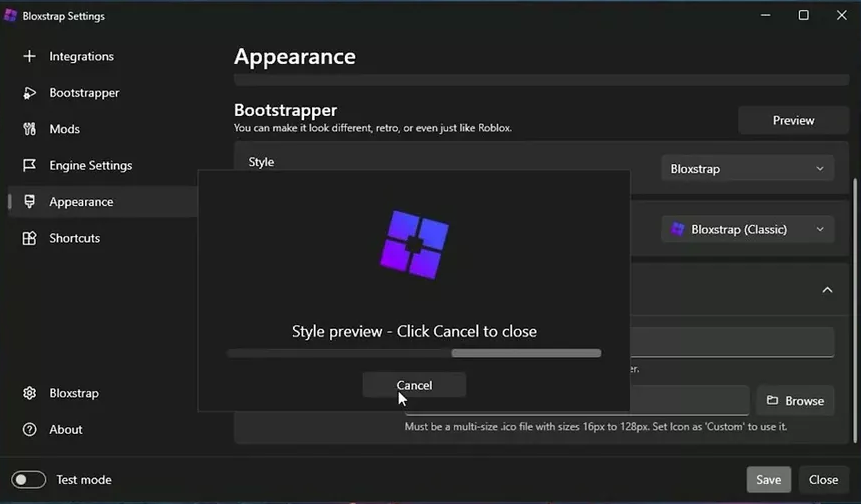
Bloxstrap FPS Unlocker is a feature-rich tool that can do more than FPS unlocking. It comes with a built-in FastFlag editor for advanced performance tweaks and native frame-rate unlocking. Moreover, it lets you swap back to legacy audio, change cursors, or update fonts. Additionally, it integrates Discord Rich Presence for live activity tracking and provides server telemetry to monitor your connection locations seamlessly.
Pros
Actively maintained
Feature-rich and customizable FPS unlocker
Rich preset options
Strong community support
Cons
Windows-only
Inappropriate FastFlags may cause instability
Our Rating: ★★★★
Combining reliable FPS unlocking with useful launcher and customization features, Bloxstrap is one of the best all-around FPS unlockers for Roblox PC players.
4. FPS Unlocker Gaming Tool - Easy-to-Use FPS Unlocker for Android
Best for: Mobile gamers who need an FPS unlocker for mobile on Android devices.
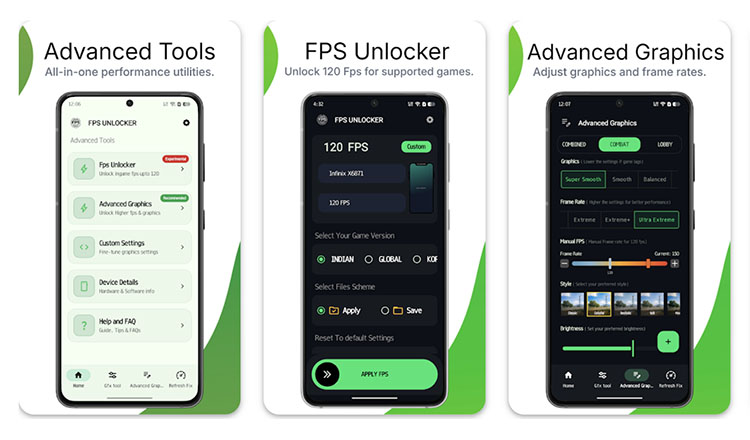
FPS Unlocker – Gaming Tool helps Android users unlock higher frame rates, reduce lag in Roblox and other games for smoother gameplay. It supports 90 FPS, 120 FPS, and higher options on compatible devices and games. You can also adjust graphics settings to improve performance and frame stability. The app supports Android 8 and above and features a simple, easy-to-use interface.
Pros
Free & easy interface
high user ratings FPS unlocker
Supports popular battle-royale titles
Cons
Contains ads
Potential battery drain and heat
Our Rating: ★★★★
The app is a practical mobile FPS unlocker that can deliver smoother gameplay on compatible devices. However, its effectiveness varies by game and hardware, so it may not provide the same results across all Android titles.
FAQs About FPS Unlocker
Are FPS unlockers safe?
Reputable FPS unlockers from trusted sources are generally safe when used properly. Just make sure to avoid suspicious software and modified APKs from unverified third-party platforms.
Are FPS unlockers legal to use?
Generally, FPS unlockers are legal because they only adjust frame-rate limits rather than gameplay mechanics. However, you should also check each game's terms and anti-cheat policies beforehand.
Can I get banned for using an FPS unlocker?
Generally, bans are unlikely if you use legitimate FPS unlockers that do not modify gameplay. However, those unauthorized tools may violate game rules and lead to account risks.
What is the difference between an FPS unlocker and FPS booster?
An FPS unlocker removes a game's artificial frame rate limit to make your hardware run faster if it is capable. An FPS booster optimizes software or lowers in-game graphics settings, which can actively increase your computer's actual processing performance.
Are there more ways to unlock FPS in game?
Yes. You can adjust in-game frame-rate settings, lower graphics quality, update GPU drivers, enable performance-focused settings, or optimize your system for gaming.
Conclusion
FPS unlocker makes it possible to break FPS limits. There are a set of FPS unlockers available for different platforms, from general PC gaming booster, dedicated Roblox FPS tools to Android apps. If you need an FPS unlocker for any game on PC, Smart Game Booster is surely the best overall choice. Supporting a wide range of games, one-click optimization, and real-time performance monitoring, it can effectively boost your gaming experience as a whole.
Key Features of Smart Game Booster
- Enjoy lag-free & low-ping gaming
- 100+ games supported
- Severs from all over the world
- Boost in-game FPS