You've spent hours crafting the perfect theme park—intricate coasters, detailed scenery, winding paths—only to watch your framerate tank the moment you zoom in. Sound familiar? If you've been asking yourself “why is Planet Coaster so laggy” on your machine, you're not alone. This game is “famous” for bringing even beefy PCs to their knees, especially as parks grow in size and complexity. But here's the good news: you don't need to upgrade your entire rig or abandon your masterpiece. In this guide, we are going to explain why this happens and show you how to solve Planet Coaster lag when building.
Why Is Planet Coaster So Laggy?
Take it easy. Before we start, let's talk about what's actually causing the headache. Why is Planet Coaster so laggy on your system? It usually comes down to the following reasons:
1.The CPU Bottleneck.
Planet Coaster's simulation engine is incredibly detailed—every guest has individual preferences, every ride has complex physics, and every piece of scenery adds to the calculation load. The game relies heavily on single-core CPU performance due to limitations in DirectX 11, meaning even if you have a 16-core processor, much of the workload gets funneled through one thread. So, why is Planet Coaster lagging? The problem often becomes noticeable once your park hits a few thousand guests.
2.The Guest Count Problem.
Speaking of guests—they're the biggest performance killer. Every single visitor in your park requires the CPU to calculate movement, decisions, ride preferences, and pathfinding. Once you cross the 4,000–5,000 visitors or more, even high-end systems start to struggle.
3.Graphics Settings and Background Bloat.
High shadow quality, water reflections, and texture details all demand GPU power. But beyond that, background applications—browsers, launchers, streaming software—compete for the same system resources your game desperately needs.
Top 4 Fixes for Why Planet Coaster So Laggy
Now that you know what's behind the lag, let's fix it. Here are four manual tweaks that will immediately improve performance. If you're wondering “why is Planet Coaster so laggy” even after trying one of these, just move on to the next—combining multiple fixes is where the magic happens.
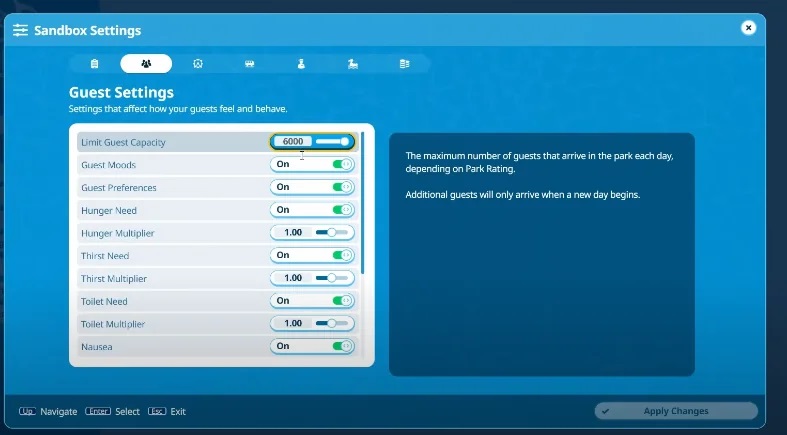
Set a Park Guest Limit
This is hands-down the most effective single tweak you can make. Remember how I mentioned guests are the biggest CPU hog? Capping their numbers gives your processor breathing room. Many players find that limiting guests to around 2,000–3,500 keeps the game smooth even on mid-range PCs.
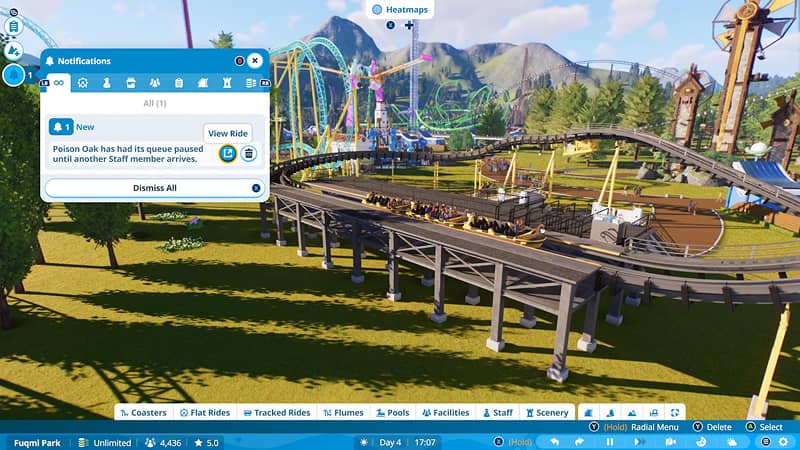
Step 1: Open the Park Management tab from the main toolbar at the bottom of your screen.
Step 2: Navigate to the Guests section (it looks like a ticket stub icon).
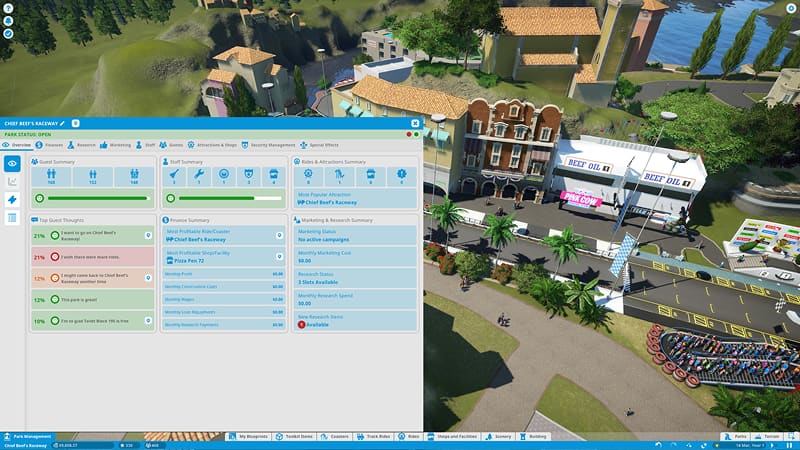
Step 3: Find Maximum Number of Guests and set it to a lower cap—start with 3,000 and adjust from there. If you are still asking, “why is Planet Coaster lagging”, drop it to 2,000.
Set CPU Priority to High
This is a quick Windows tweak that tells your operating system to prioritize Planet Coaster over background tasks. It won't solve every performance issue, but it's a free and easy way to squeeze out a few extra frames—especially useful when the question “why is Planet Coaster so laggy” keeps coming up during busy moments.
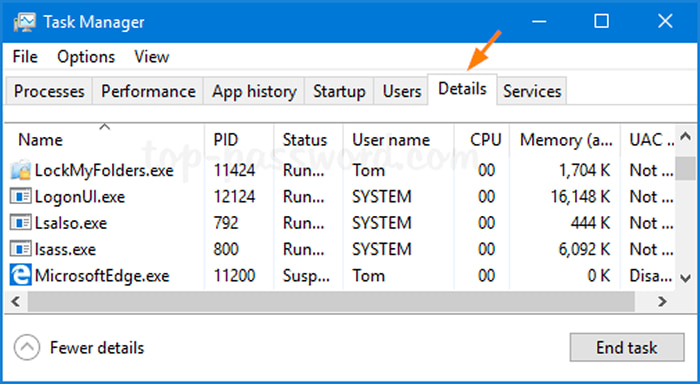
Step 1: Open Task Manager by pressing Ctrl + Shift + Esc.
Step 2: Click the Details tab, then right-click PlanetCoaster.exe.
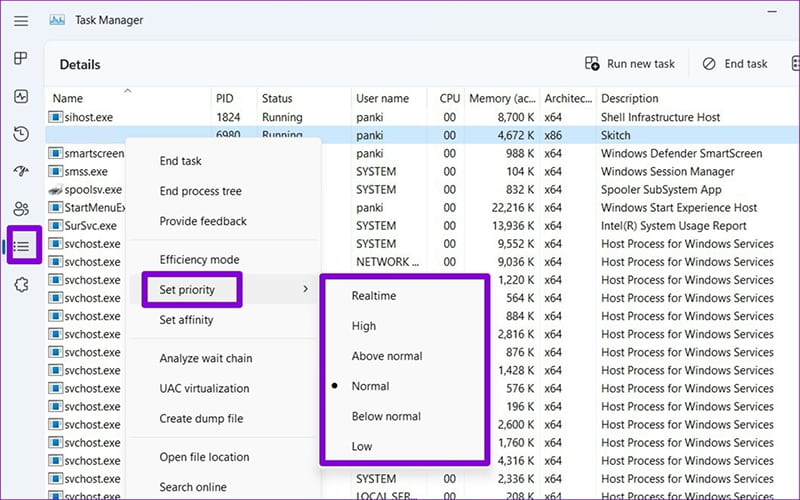
Step 3: Select Set Priority → High. Note: Avoid selecting "Realtime" unless you know what you're doing—it can actually make your system unstable.
Also Read: Free Ping Reducer for Faster, Smoother PC Gaming >>
Lower Shadow, Water, and Texture Settings
When asked, “why is Planet Coaster so laggy on my computer?” think about your GPU and VRAM usage. So how can you fix it? This one's straightforward: turn down the eye candy to free up GPU resources. The visual difference is often minimal, but the performance gains can be massive.
Step 1: Go to Settings → Graphics from the main menu.
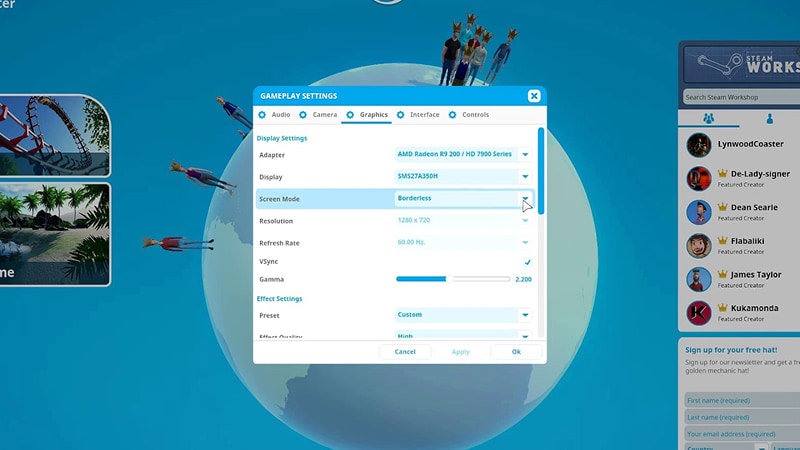
Step 2: Set Shadow Quality to Low and Water Quality to Low.
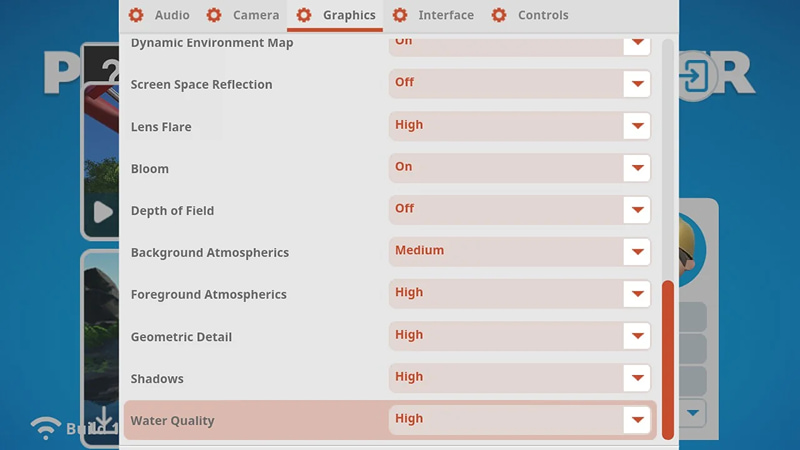
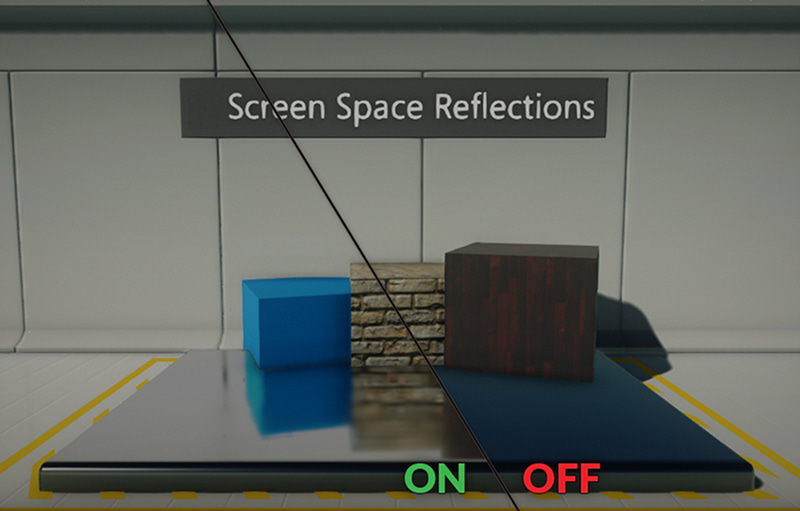
Step 3: Turn Screen Space Reflections to Off. While you're here, consider lowering Texture Quality as well—it reduces the CPU workload of moving textures from RAM to GPU memory.
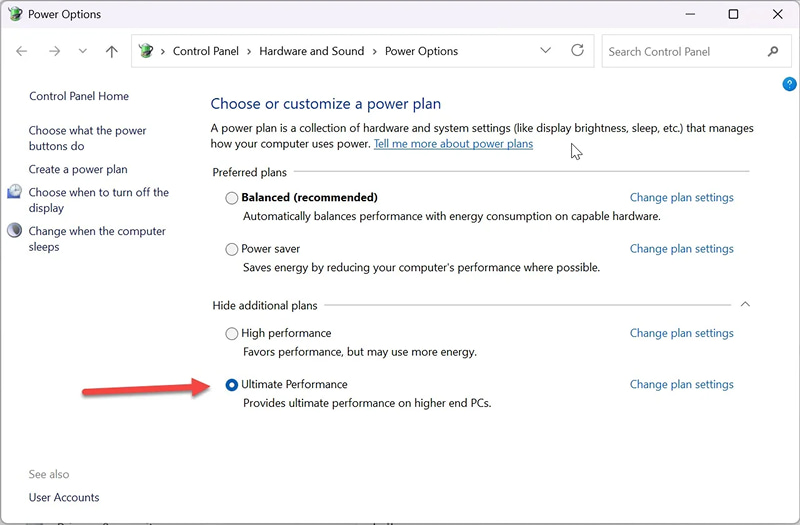
Switch to High Performance Power Plan
Still confused “why is Planet Coaster so laggy”? The Windows power setting might be the problem. Windows' default power settings often limit your CPU to save energy. Switching to High Performance ensures your processor runs at full speed while you're gaming.
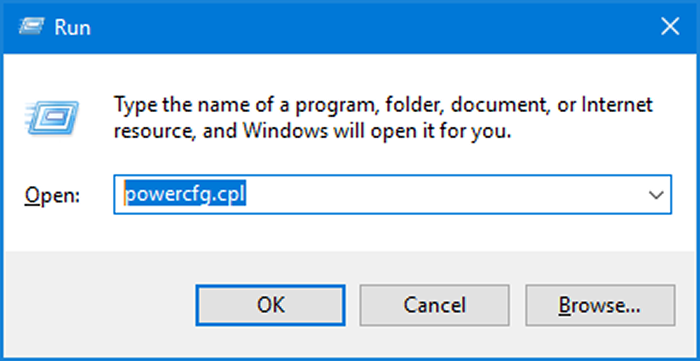
Step 1: Press Win + R, type powercfg.cpl, and hit Enter.
Step 2: Select High Performance from the list of power plans.
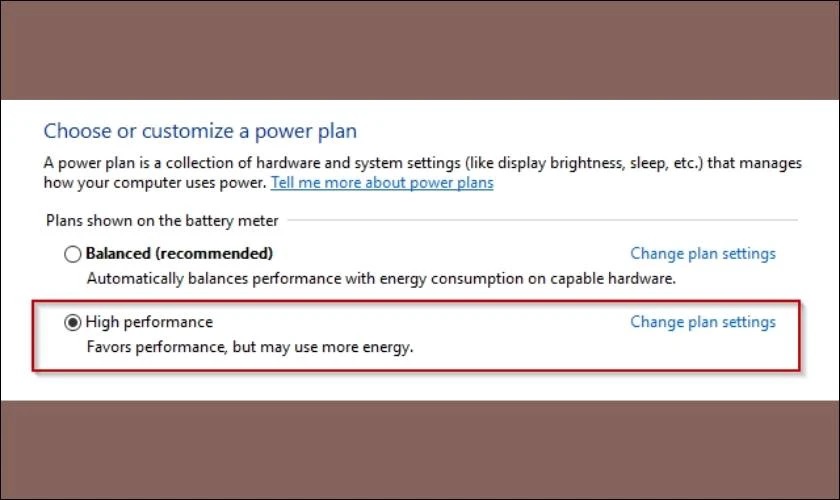
Step 3: If you see Ultimate Performance, choose that instead—it's even better for gaming.
These four manual fixes will definitely help. But let's be real—tweaking settings, adjusting priorities, and closing background apps every single time you want to play gets old fast. Plus, you might still be wondering “why is Planet Coaster so laggy” even after all that work. That's where the next solution comes in.
One-Stop Solution for Planet Coaster Lagging
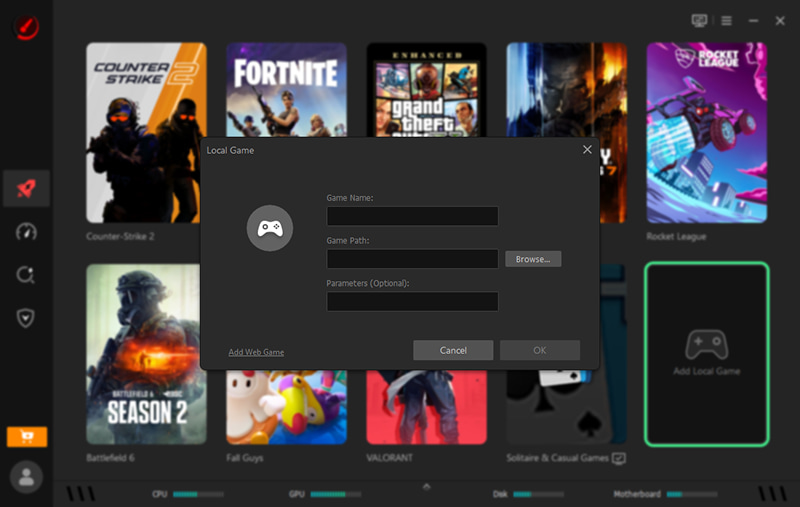
Instead of playing system administrator every time you launch the game, why not let software handle it for you? Smart Game Booster is a free, powerful tool that automates the entire optimization process with a single click. It's designed specifically for gamers who want maximum performance without the technical headache. Here's how it works:
Step 1: Download and install Smart Game Booster from the official website.
Step 2: Click Add Local Game and select Planet Coaster from your library.
Step 3: Click Accelerate Now—and watch the tool work its magic. It kills unnecessary background processes, optimizes system settings, and even boosts your GPU performance.
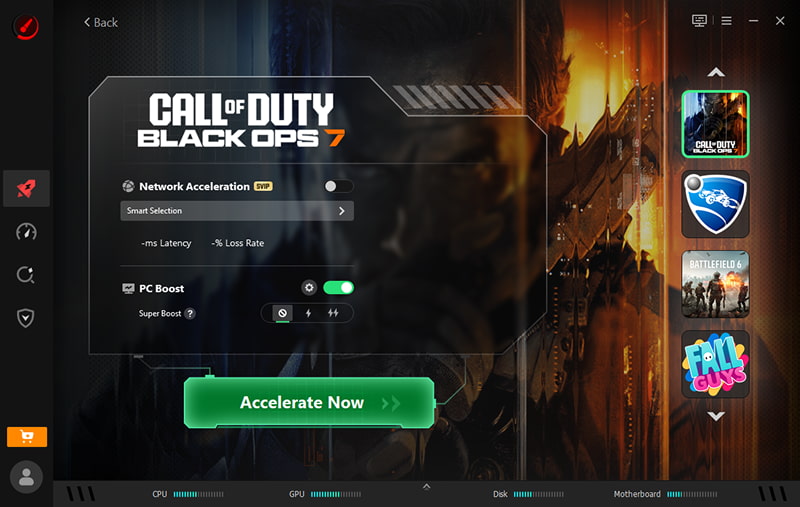
What Makes Smart Game Booster Different?
120% FPS Boost & 80% Ping Reduce – By freeing up system resources and optimizing network settings, Smart Game Booster delivers smoother gameplay and lower latency. It's not just an FPS booster—it's a complete performance overhaul.
Built-in Game Launcher PC – The game launcher PC feature lets you launch Planet Coaster directly from the booster interface, so you never have to navigate through Steam or Epic launchers again.
Image Sharpening for Games – Smart Game Booster includes image sharpening for games technology that enhances visual clarity without the performance penalty of higher graphics settings. You get crisp visuals and smooth framerates—the best of both worlds.
One-Click Optimization – No more manually closing 15 background apps or tweaking registry settings. Smart Game Booster handles everything automatically, so you can focus on building your dream park.
Key Features of Smart Game Booster
- Enjoy lag-free & low-ping gaming
- 100+ games supported
- Severs from all over the world
- Boost in-game FPS
Final Words
So, think about it. Why is Planet Coaster so laggy? And if you've moved on to the sequel, you may still ask “Why is Planet Coaster 2 so laggy” on my PC too? CPU bottlenecks, overwhelming guest counts, and resource-hungry background processes can all cause performance issues. Start with the above fixes, or try the Smart Game Booster. With one click, you'll free up system resources, boost your FPS, and finally enjoy the smooth, responsive gameplay you've been missing. Trust me - Smart Game Booster is the best choice to deal with Planet Coaster lag when building!