Getting disconnected from the server in Fall Guys can interrupt matches, prevent you from joining friends, or leave you stuck on the connecting screen. This problem may be caused by server outages, unstable internet connections, platform-specific network issues, or game errors. Follow these fixes for PC, PS5, Xbox, and Nintendo Switch to troubleshoot the problem and get back to playing.
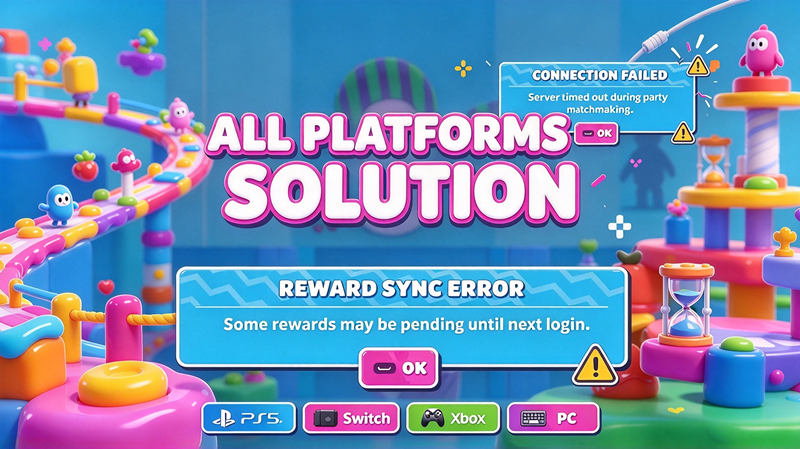
Oops, Something Unexpected Happened in Fall Guys: What Does It Mean?
The message "Oops, something unexpected happened" in Fall Guys is a generic error that indicates the game has encountered a problem. It does not identify a single cause. Depending on when it appears, the issue may involve connecting to online services, joining a party, logging in, or loading a match.
Common Fall Guys connection symptoms include:
Fall Guys stuck connecting to server: The game remains on the connecting screen and fails to enter a match.
Fall Guys not connecting to server: The game cannot establish a connection to its online services.
Fall Guys fails to log in: The game cannot complete the login or authentication process.
Disconnected during a match: The game loses its connection while you are playing.
Common Fall Guys Error Codes
Fall Guys may also display specific error codes when a connection or game-related problem occurs. Examples worth investigating include:
201_003: A reported Fall Guys error associated with online connectivity or party-related problems.
200_012: A reported error that may appear alongside an Epic Online Services (EOS) issue.
200_001: An EOS login error.
201_010: An error associated with party or friends-list functionality.
002_021: An error associated with creating or joining a party.
200_014 / 14, 200_19000, 200_1018, and 200_19002: Additional codes to investigate when troubleshooting game startup or technical problems.
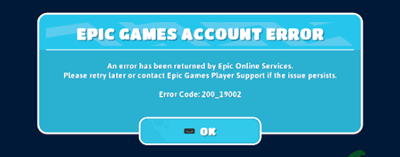
Other messages, such as "Connection to Server Timed Out" and "Failed to Download Level," can also indicate connection or game-service problems.
Note: These codes do not all indicate the same issue, and their precise meanings and recommended fixes should be confirmed against the relevant official support documentation. Record the complete error message and code before troubleshooting.
How to Fix Fall Guys Disconnected from Server on Epic Games
If Fall Guys keeps disconnecting while you are playing on PC through Epic Games, try changing your server region first. Temporary regional server issues or matchmaking problems may prevent you from connecting successfully.
Method 1. Change the Game Server Region
Switching to another nearby region may help if your current region is experiencing temporary issues.
Step 1. Launch Fall Guys and open Settings.
Step 2. Select Options.
Step 3. Find Server Region.
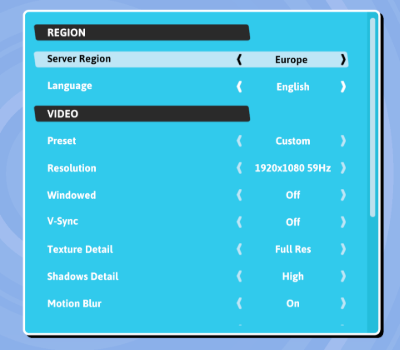
Step 4. Change the setting from Automatic to another available region near your location.
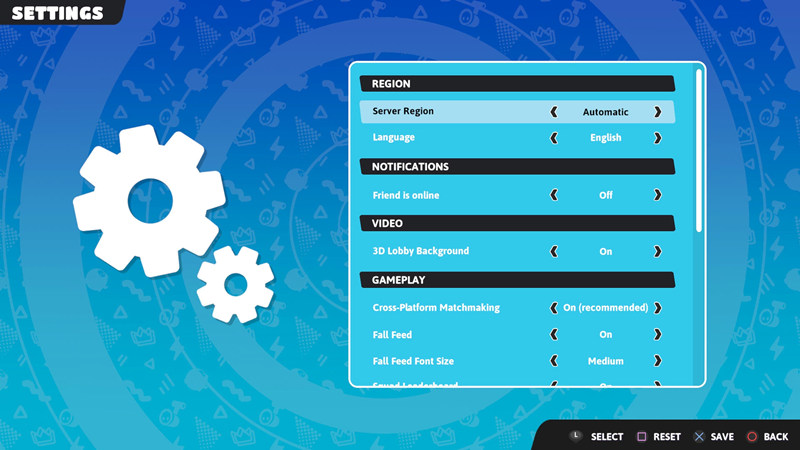
Step 5. Save your changes if prompted and try joining a match again.
If the problem persists, test another nearby region. Choosing a distant region may increase your ping and cause lag, so return to Automatic if switching regions does not help.
Method 2. Verify Fall Guys Game Files
Missing or corrupted game files may cause unexpected errors or prevent the game from connecting properly. Here is the tutorial to fix broken game files.
Step 1. Open Epic Games Launcher and go to your Library.
Step 2. Find Fall Guys and click the three-dot menu next to the game.
Step 3. Select Manage and then Verify, if available.
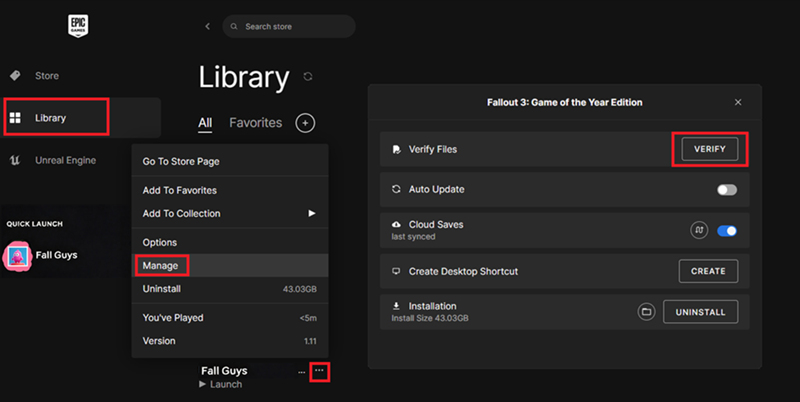
Step 4. Wait for the verification process to finish, then relaunch the game.
If you use Steam, open your Library, right-click Fall Guys, select Properties > Installed Files, and choose Verify integrity of game files.
Method 3. Check Your Firewall and Network Connection
Your firewall or security software may block Fall Guys or its online services. A weak or unstable connection can also cause disconnections.
Step 1. Restart your router and PC.
Step 2. If possible, use a wired Ethernet connection instead of Wi-Fi.
Step 3. Check your firewall settings to ensure Fall Guys and Epic Games Launcher are allowed to communicate through the network.
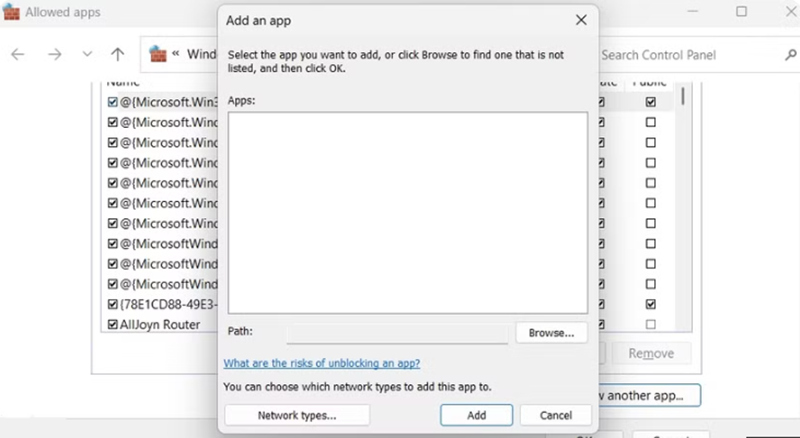
Step 4. Temporarily disable a VPN or proxy if you use one and suspect it is interfering with the connection.
Avoid disabling your firewall permanently. If the problem continues, check the server status before changing additional network settings.
How to Fix Fall Guys Disconnected from Server on PS5
If Fall Guys keeps disconnecting from the server on PS5, the problem may involve PlayStation Network (PSN) connectivity or your console's network settings. Try these fixes to restore your connection.
Method 1. Check PlayStation Network Connectivity
Fall Guys relies on online services to connect you to matches. If PSN is experiencing an outage or your console cannot connect to its online services properly, you may encounter server disconnections or matchmaking errors.
To troubleshoot the issue:
Step 1. Check the PlayStation Network Service Status page for reported outages.
Step 2. On your PS5, go to Settings > Network > Connection Status > Test Internet Connection.
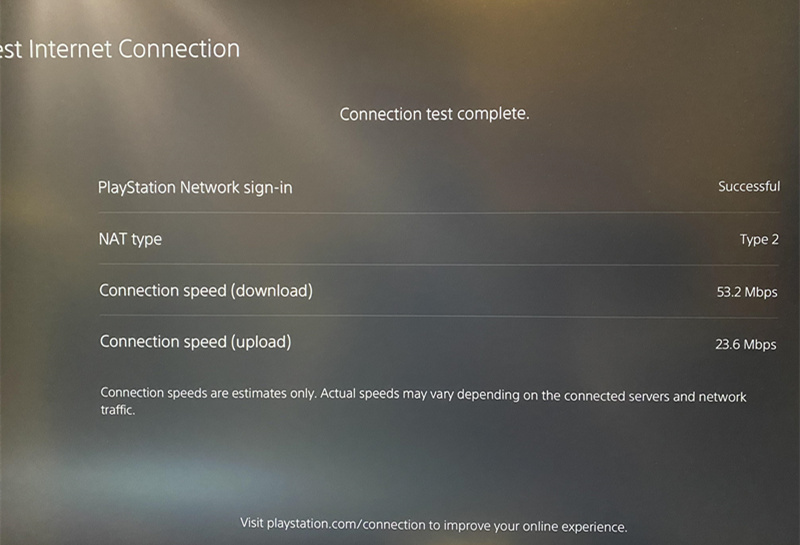
Step 3. If PSN is working normally, restart your PS5 and router, then launch Fall Guys again.
Note: If PSN is experiencing an outage, wait for the service to recover before trying again.
Method 2. Set the Date and Time Automatically
Incorrect date and time settings can sometimes interfere with online authentication or secure connections. Although this is not a confirmed common cause of Fall Guys disconnections, checking your console's clock is a simple troubleshooting step.
Step 1. Open Settings > System > Date and Time on your PS5.
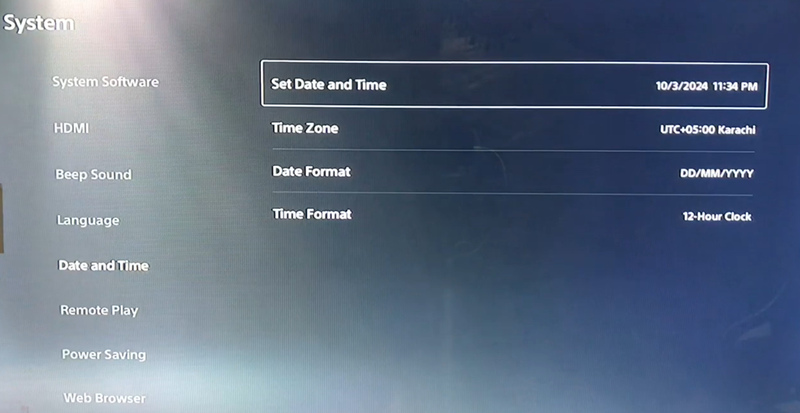
Step 2. Find Set Date and Time and choose the automatic setting if available.
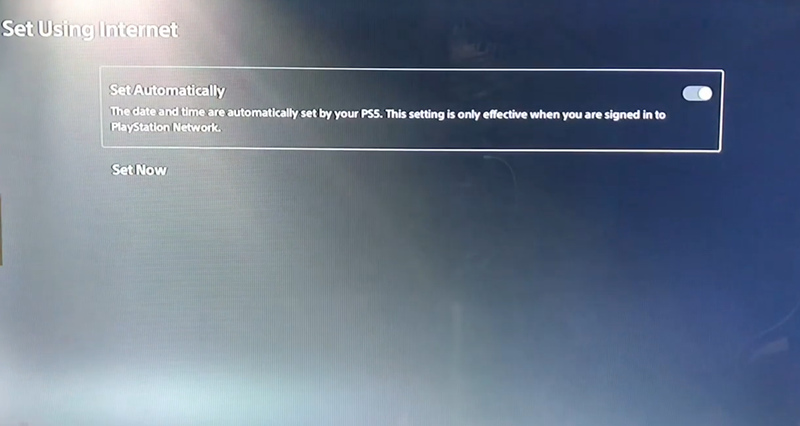
Step 3. Make sure your time zone is correct.
Step 4. Restart Fall Guys and try connecting to a match again.
If the error persists, continue troubleshooting your network connection and the game's online services.
How to Fix Fall Guys Disconnected from Server on Nintendo Switch
If Fall Guys keeps disconnecting from the server on Nintendo Switch, the problem may be caused by an unstable Wi-Fi connection, temporary server issues, or network configuration problems. Try the following solutions.
Method 1. Check Your Internet Connection
A weak Wi-Fi signal or unstable connection can interrupt communication between Fall Guys and its servers.
Step 1. Open System Settings > Internet > Test Connection on your Nintendo Switch.
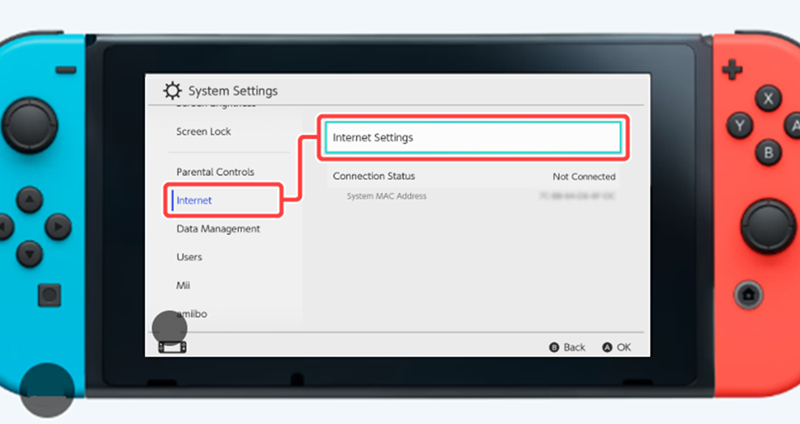
Step 2. Check whether the connection test succeeds and review the displayed connection details.
Step 3. Move your Switch closer to the router or reduce interference from other wireless devices.
Step 4. Restart your router and reconnect to the internet.
If the connection remains unstable, try another reliable network, if available, to determine whether the problem is related to your current Wi-Fi.
Method 2. Check Fall Guys Server Status
Sometimes, Fall Guys disconnects players because its online services are temporarily unavailable.
Visit the Epic Games Server Status page to check for reported incidents affecting Fall Guys or its online services.
If an outage is reported, wait until the services recover before reconnecting. If no outage is reported, continue with the other fixes.
Method 3. Check for Game and System Updates
An outdated game version or system software may cause compatibility problems.
How to Update Fall Guys:
Step 1. Highlight the game on the HOME menu,
Step 2. Press the + button, and select Software Update > Via the Internet.
How to Update Your Switch?
Step 1. Open System Settings > System > System Update
Step 2. Install any available update.
Once both are up to date, launch Fall Guys again to see whether the disconnection has been resolved.
Method 4. Check Your NAT Type
Your network's NAT type can affect multiplayer connectivity.
How to Check Your NAT Type?
Step 1. On your Switch, go to System Settings > Internet.
Step 2. Test the connection and check the NAT type shown in the results.
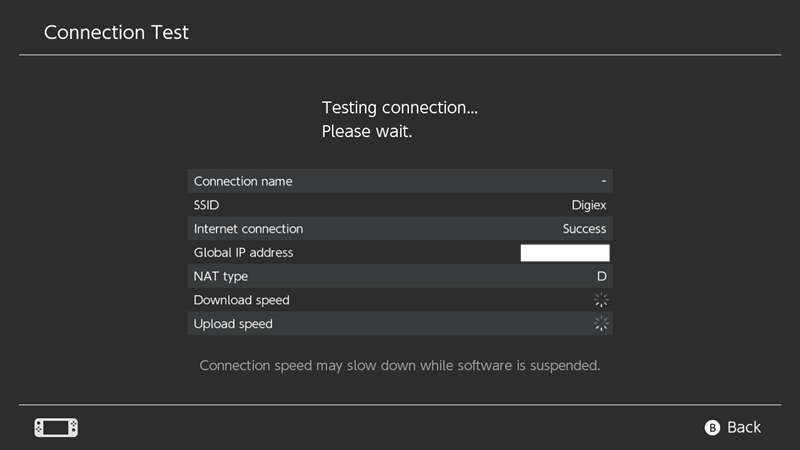
If you consistently experience multiplayer connection problems, check your router configuration or contact your internet service provider for help. Avoid changing advanced router settings unless you understand their effects on network security.
How to Fix Fall Guys Disconnected from Server on Xbox
If Fall Guys keeps disconnecting on Xbox, the issue may be related to Xbox network services, an unstable internet connection, or temporary console problems.
Method 1. Check Xbox Network Status
An Xbox network outage may prevent you from accessing online multiplayer services.
Visit Xbox Status to check whether any relevant services are experiencing problems. If an outage is reported, wait for Microsoft to resolve it before trying to reconnect.
Method 2. Check for Updates
Close Fall Guys completely, then launch it again. Check for available game and Xbox system updates and install them before reconnecting.
If other online games also disconnect, the problem is more likely to involve your network or Xbox services than Fall Guys alone.
Bonus Tip: Boost Fall Guys Network Stability and Performance
If Fall Guys keeps disconnecting, experiencing high ping, or suffering from lag on your PC, iTop Smart Game Booster offers additional tools to help optimize your gaming setup.
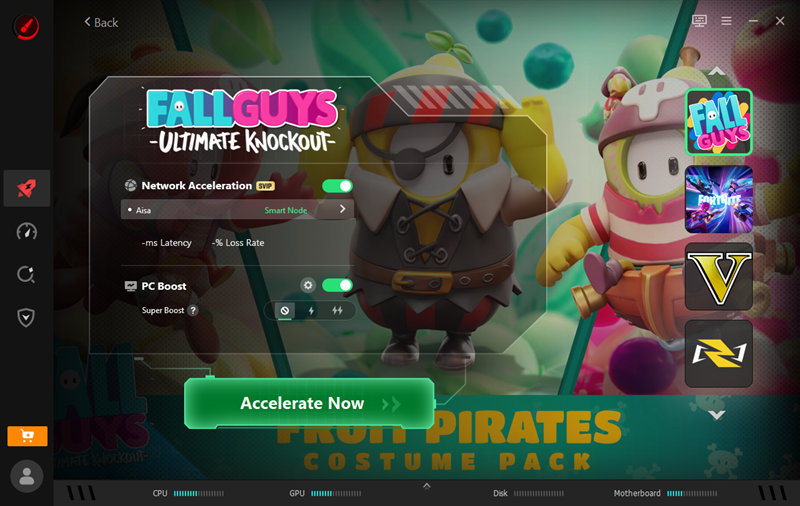
Its network acceleration and game optimization features are designed to help improve connection performance and free up system resources. The software also includes driver update features that can help address outdated drivers affecting network or system performance.
To get started, download iTop Smart Game Booster and use its available optimization features before launching Fall Guys.
Keep in mind that a game booster cannot fix an Epic Games or Fall Guys server outage, and the results of network optimization depend on the underlying cause of the problem. If the game's servers are unavailable, wait until service is restored.
Conclusion
Fall Guys disconnected from server errors can result from server outages, unstable connections, or platform-specific problems. Check the server status first, then try the fixes for your device, such as changing the server region, testing your network, or verifying game files. On PC, iTop Smart Game Booster can also help optimize network and system performance for a smoother gaming experience.
Key Features of Smart Game Booster
- Enjoy lag-free & low-ping gaming
- 100+ games supported
- Severs from all over the world
- Boost in-game FPS