1000 Mbps equals 125 MB/s, this speed satisfies literally most mainstream indie/3A/multi-player games. Valorant needs only 6.25 MB/s (50Mbps) for smooth gameplay. And if your games are not cloud-based gaming, the Mbps requirements can go even lower. So is 1000 Mbps good for gaming? Actually, no one needs 1000 Mbps to play games; that’s not cost-effective. For those who want to escalate gameplay experience to improve internet connection, they are focusing on the wrong thing. Here are the things they need to focus on instead:
Read on to know how to improve your game experience when the Internet is fast enough.
Is 1000 Mbps Good for Gaming? Check Mainstream Game Requirements
Online Multiplayer FPS games are cloud-based and need high uploading/downloading speeds to support instant gameplay. But other types of games, such as Indie Games (Stardew Valley, Among Us, Balatro), 3A games (Cyberpunk 2077, Elden Ring, Black Myth: Wukong, Red Dead Redemption 2), have no demand for Mbps because they run offline.
Here is a list collecting the viral FPS games and their minimum Mbps/Recommend Mbps.
| Game |
Minimum Speed |
Recommended Speed |
| Valorant |
3 Mbps |
25 Mbps |
| Counter-Strike 2 |
3 Mbps |
25 Mbps |
| Fortnite |
5 Mbps |
25–50 Mbps |
| Call of Duty: Warzone |
5 Mbps |
50 Mbps |
| Apex Legends |
5 Mbps |
25 Mbps |
| League of Legends |
3 Mbps |
10–20 Mbps |
| Dota 2 |
3 Mbps |
10–20 Mbps |
| World of Warcraft |
5 Mbps |
25 Mbps |
| EA Sports FC 26 |
5 Mbps |
25 Mbps |
You definitely noticed that most games don’t need 1000 Mbps. 25 Mbps is enough to play any games online. No games are bandwidth-intensive; if your gameplay is choppy and stuttering, you may have hardware issues or game setting issues. Read on to know how to solve game stutters when Mbps is not the bottleneck.
My Internet Is 1000 Mbps, But Gameplay Still Lags?
Firstly, you can do a self-check to make sure your Mbps is exactly the number your Internet Service Provider promises. You can enter this link to visit this free and green Internet Speed Test website. https://www.iobit.com/en/iobit-speed-test.php
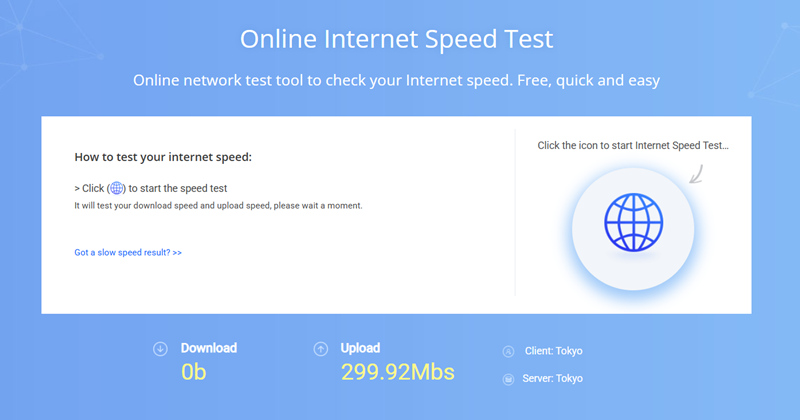
In minutes, this tool shows your download/upload speed. If the actual Mbps doesn't match the speed promised by your ISP, you are likely to have these problems below:
Download server throttling
Weak Wi-Fi signal
Multiple devices on the same network
Network congestion
An outdated or underpowered router
If your Internet is fine, but games are still lagging, please read on to know the reasons behind.
Lagging in Games But Internet Is Fine? Tips for Optimization
Game stuttering, no matter whether it's frame time spikes or micro stuttering, is usually not caused by low Mbps. They are caused by BAD INTERNET QUALITY and HARDWARE ISSUES.
When the Wi-Fi signal is weak, or the router is outdated, the Internet is not stable anymore, and your games lag frequently.
High PING: Long server distance, ISP routing issues, network congestion, VPN usage, Wi-Fi interference.
You need Smart Game Booster, which provides stable servers.
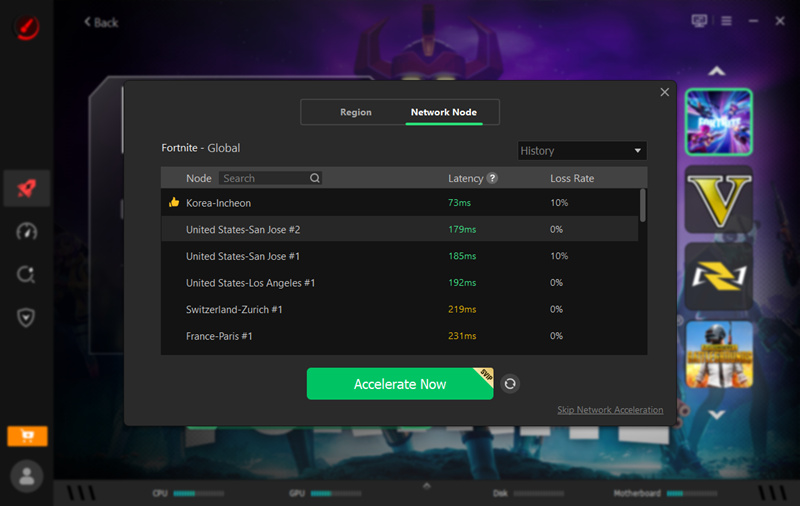
High Jitter: Wi-Fi interference, network congestion, overloaded router, unstable ISP routing.
Packet Loss: Weak Wi-Fi signal, damaged Ethernet cables, overloaded routers, ISP issues, server problems.
Hardware limitations can cause game lag and stuttering. And the restrictions cannot be fixed by escalating Mbps.
When GPU/CPU is too old to support current games: The gameplay becomes choppy. CPU and GPU are overwhelmed, and game stutters are evident signals of CPU/GPU bottlenecks. Old display components fail to support light-tracing, shadow quality, and water-reflection quality. Lowering your game settings is a good way to unburden your system.
Too many background processes: When you are watching live-streaming, TV programs in the background, and using dual-screen or split-screen to play system-resource-intensive games, it is doomed to have a choppy game experience.
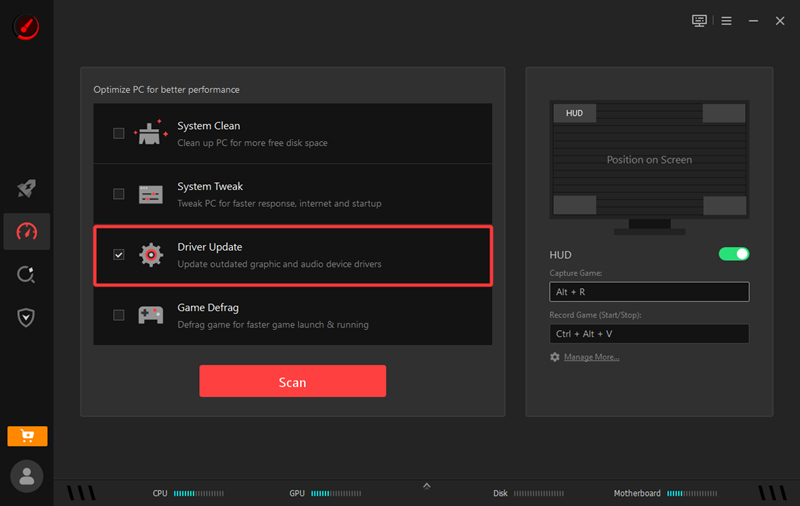
Lack of new game drivers/CPU and GPU drivers are outdated: Missing the latest game-ready GPU drivers can lead to poor optimization in newly released games.
Keeping your CPU and GPU drivers up to date helps reduce lag, stuttering, and frame drops.
Smart Game Booster can auto scan/detect and fix outdated drivers.
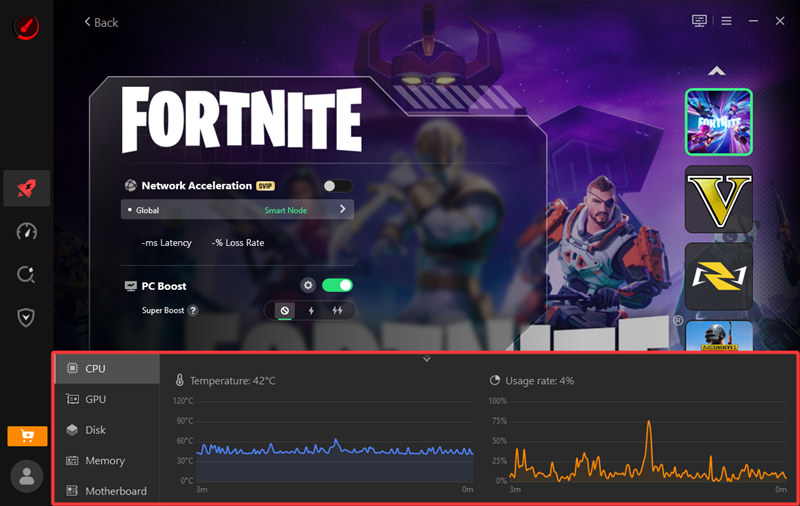
Overheating, thermal throttling, and dust problems: Excessive heat forces your CPU and GPU to throttle their performance. Cleaning dust and improving cooling can help eliminate game lag and stuttering.
Smart Game Booster can live-monitor your system and tell you when it's time to cool down.
Download Smart Game Booster to save money on upgrading Mbps.
Say Goodbye to Choppy Gameplay!
Enjoy lag-free & low-ping gaming
Access 500+ optimized servers
Boost FPS for smoother gameplay
Bonus: Should You Upgrade to 1000 Mbps Internet?
How Much Does 1000 Mbps Bandwidth Cost?
United States $60–$100/month
Canada CAD $80–$130/month
United Kingdom £35–£60/month
Australia AUD $90–$150/month
How Much Does 50 Mbps Bandwidth Cost?
United States $30–$50/month
Canada CAD $40–$70/month
United Kingdom £20–£35/month
Australia AUD $55–$80/month
Verdict: You don’t need to upgrade to 1000 Mbps Internet. 50 Mbps Internet is enough. If you seek smoother gameplay, you should focus on optimize
Bonus Tip: Is 1000 Mbps Good for Gaming and Streaming
What if I want to play games and watch livestream at the same time?
Gaming + 720p livestream: 15–20 Mbps
Gaming + 1080p livestream: 25–35 Mbps
Gaming + 1440p livestream: 35–50 Mbps
Gaming + 4K livestream: 50–100 Mbps
As game anchors, is 1000 Mbps enough for gaming and streaming?
If you play multiplayer games and simultaneously use OBS to stream to Kick or Twitch, then you need more Mbps. Check the table to see how many Mbps you actually need.
Scenario
|
Download Speed |
Upload Speed |
| 1080p60 OBS + FPS Gaming |
100 Mbps |
20 Mbps |
| 1440p60 OBS + FPS Gaming |
200 Mbps |
35 Mbps |
| 4K Streaming + Gaming |
300–500 Mbps |
50+ Mbps |
What if all the family members are sharing the same Internet?
1 person playing Valorant + 1 person watching YouTube in 1080p + 2 phones browsing social media >>>
Recommended: 50–100 Mbps
1 person playing Call of Duty + 1 person watching Netflix in 4K + 1 PC downloading a Steam game + 2–3 phones connected >>>
Recommended: 100–200 Mbps
Conclusion
Is 1000 Mbpg good for gaming? For most gamers, a 1000 Mbps internet plan is more than enough. Popular online games like Valorant, CS2, Fortnite, and Apex Legends use very little bandwidth, so upgrading from 25 Mbps or 50 Mbps to 1000 Mbps won't significantly reduce ping or improve in-game performance. If your game stutters, the core is to optimize hardware and software instead of escalating Internet speed. Use Smart Game Booster to speed up your gameplay and reduce lags in one click!
Say Goodbye to Choppy Gameplay!
Enjoy lag-free & low-ping gaming
Access 500+ optimized servers
Boost FPS for smoother gameplay